Peak Names Settings page 321
User Guide for Maurice, Maurice C. and Maurice S.
Peak Names Settings
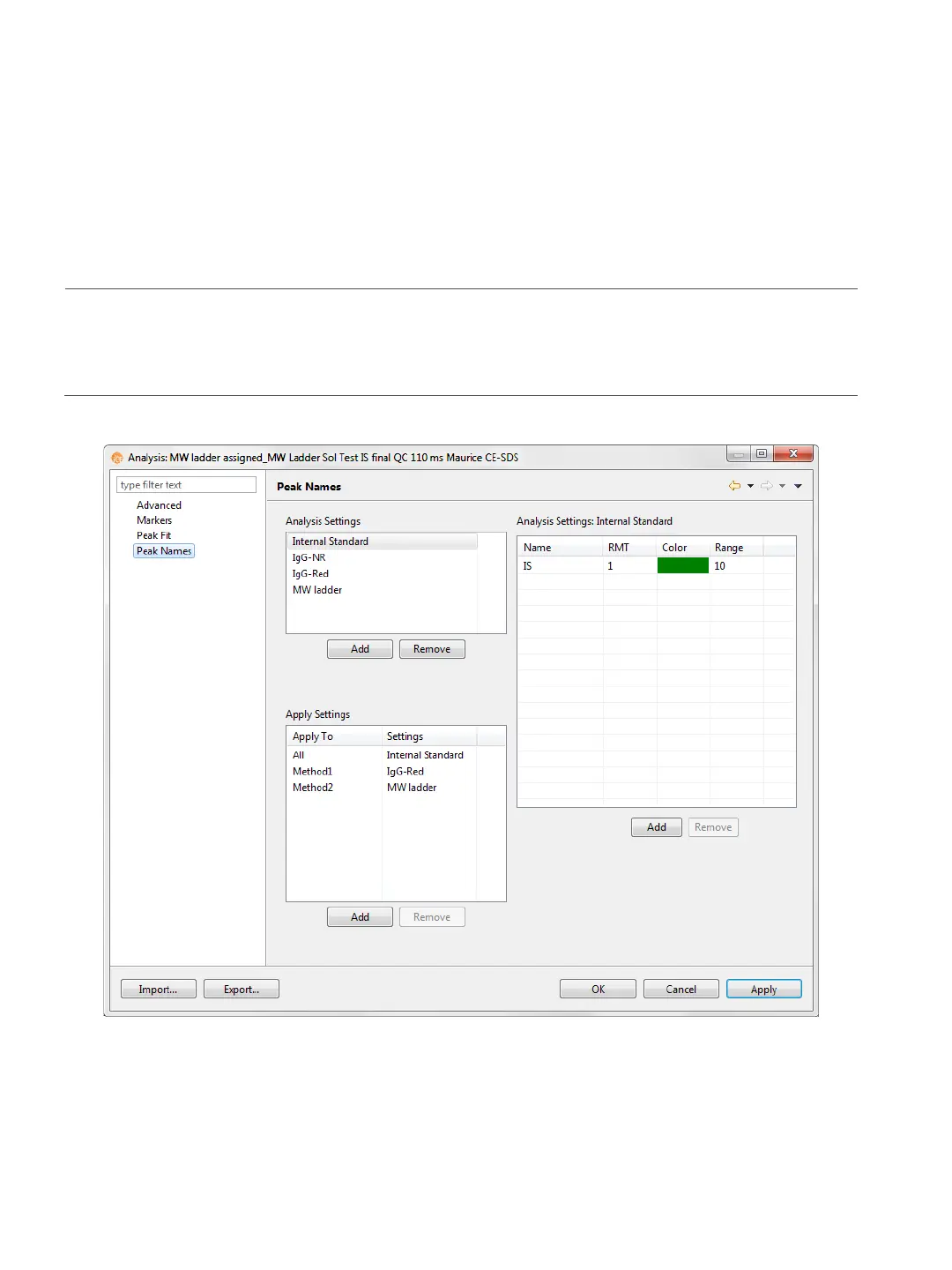
This page lets you view and change custom naming settings for sample proteins. Select Edit in the main
menu and click Analysis, then click Peak Names in the left sidebar.
NOTE: Settings can be changed in the batch default analysis before you start the run, or in run files once
they’re completed. If you make analysis settings changes to an executing run, they won’t be saved to the
final run file.
Peak Names Analysis Settings Groups
Peak name settings are saved as a group, and you can create multiple settings groups. Specific group set-
tings can be applied to methods, injections, sample names or other attributes in the run data.



 To Next Page