Group Statistics page 357
User Guide for Maurice, Maurice C. and Maurice S.
Using Groups
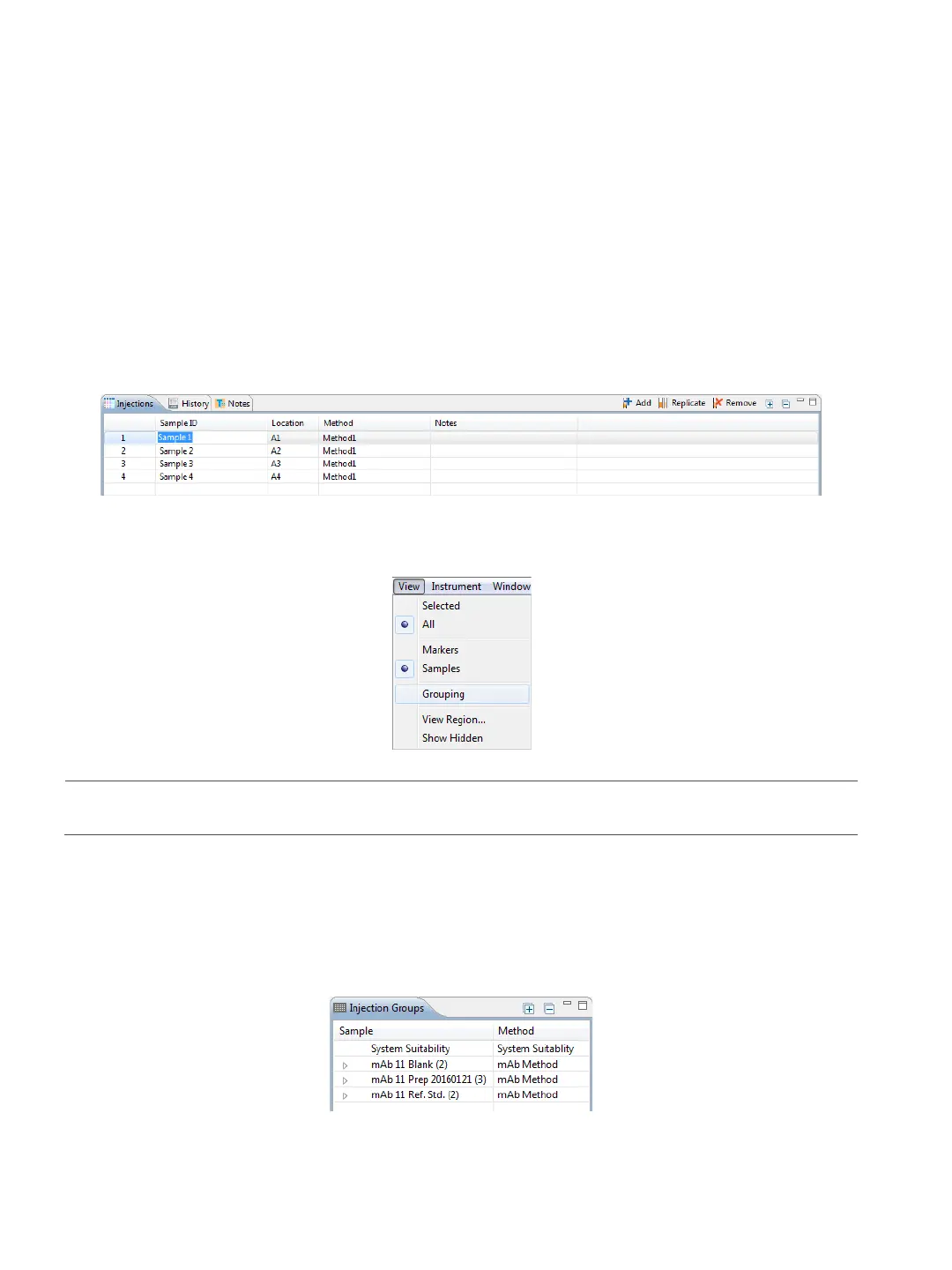
1. Groups are automatically created for injections that use the same sample name and method, so to use
this feature, you need to make sure you’ve got sample names entered.
a. Go to the Batch screen.
b. Click the Sample ID cells in the Injection pane and type a name for any samples you want to calcu-
late statistics for.
2. Go back to the Analysis screen. Click View in the main menu and select Grouping.
NOTE: To turn Grouping off, select View in the main menu and deselect Grouping.
Viewing Sample Injection Groups
Compass for iCE automatically groups all injections using the same sample name together in the Injection
Groups pane.
• To expand a group - Click the arrow next to a group to see the individual injections in the group and
reported data for each



 To Next Page