To Next PageTo Next Page
 Need help?
Do you have a question about the Protek 9750HD IP and is the answer not in the manual?
Details important warnings and cautions regarding electrical shock, appliance usage, and environmental exposure.
Information on Dolby Laboratories trademarks and proper disposal of the product to prevent environmental harm.
Warns against opening the unit to avoid risk of electric shock, as there are no user-serviceable parts inside.
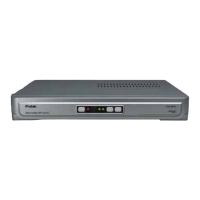
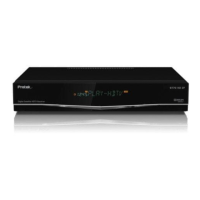
Details the buttons and display elements located on the front of the HD-Receiver.
Illustrates and describes all input and output terminals found on the rear of the HD-Receiver.
Explains the functions of the various buttons on the wireless remote control for operating the HD-Receiver.
Guide on connecting the satellite antenna cable to the LNB IN socket and using DiSEqC switches.
Instructions for connecting the HD-Receiver to an HDTV using an HDMI cable for digital video and audio.
Steps for connecting to a HDTV using YPbPr component video cables, ensuring correct output select switch position.
Steps for connecting Optical or Coaxial audio cables for Dolby Digital 5.1 or PCM digital sound to a home theater system.
Guidance on connecting the satellite antenna cable to the LNB-IN socket of the HD-Receiver.
Steps for connecting the HD-Receiver's video output to a TV or HDTV, referring to connection diagrams.
Details on plugging the power cord into the AC wall outlet, noting continuous operation design.
Instructions on using the remote control's VIDEO FORMAT button to select the desired video output resolution.
Procedure for selecting the satellite and performing an automatic channel search to find available channels.
Details on moving, deleting, sorting channels, and categorizing favorite groups within the channel list editor.
Guidance on configuring system settings to match your television set and other connected appliances.
Covers essential settings for installing and configuring the satellite reception system, including LNB and dish setup.
Properly setting up LNB parameters, including satellite selection and LNB type, based on antenna system knowledge.
Guidance for calibrating the antenna using motor systems like DiSEqC 1.2 or USALS for optimal satellite tracking.
Detailed steps for setting up motor control, satellite selection, and antenna movement using DiSEqC 1.2.
Instructions for setting up USALS for motorized antennas, including entering longitude/latitude and manual calibration.
Steps for performing channel scanning (Manual, Auto, Multi) after antenna setup to add new channels.
Step-by-step guide for downloading and upgrading the HD-Receiver firmware using a USB memory stick.
A table listing common problems, their possible causes, and recommended solutions for troubleshooting the HD-Receiver.

 General