EasyManua.ls Logo

Protocol DRONIUM - User Manual

Protocol DRONIUM
11 pages
Print Icon
To Next Page IconTo Next Page
Loading...
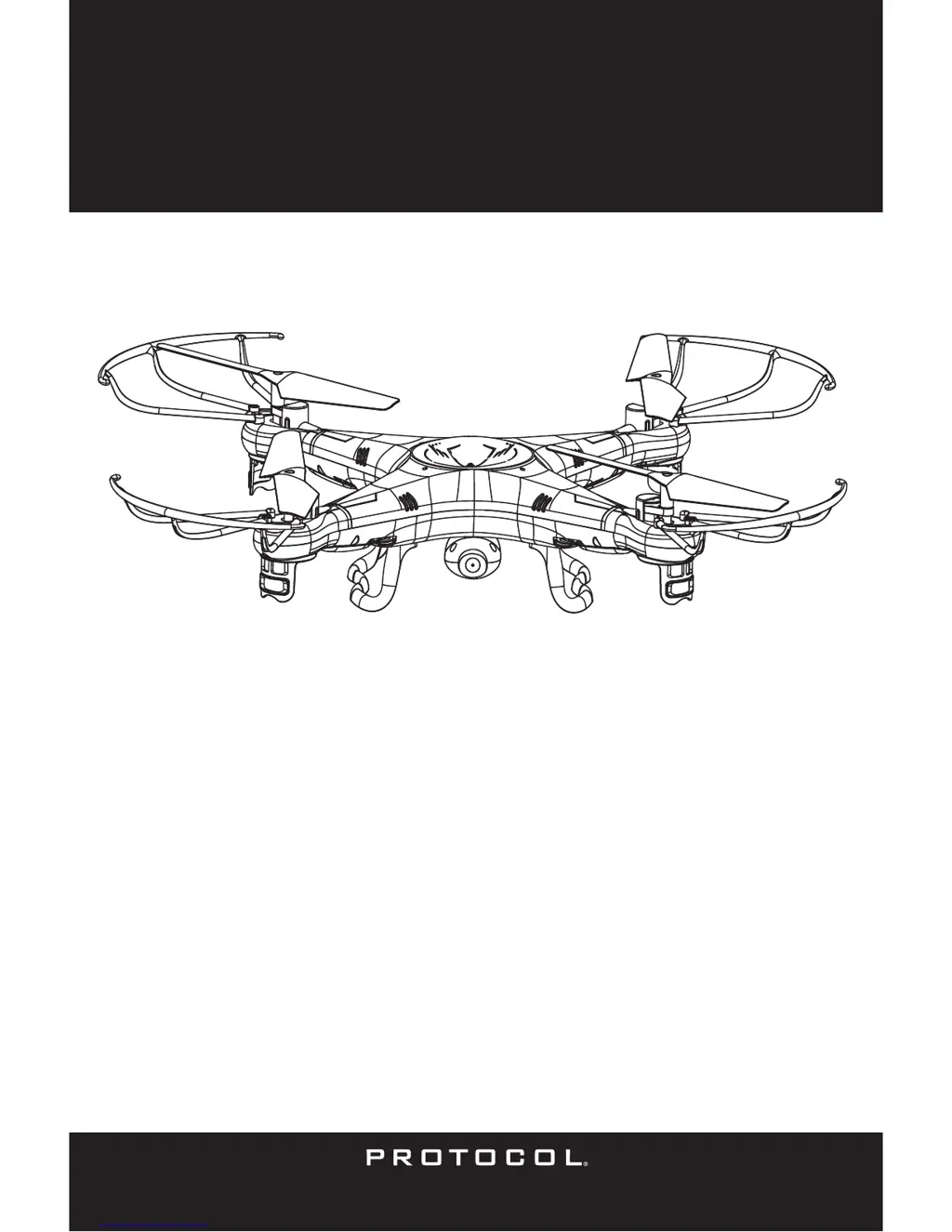
DRONIUM
4-CHANNEL RADIO CONTROLLED
QUAD-COPTER
FEATURING:
1. Four-Rotor design allows great speed and maneuverability for both Indoor and Outdoor use.
2. Built-in 6-axis Gyro ensures excellent stability.
3. Modular design for increased ease of maintenance.
4. 360-degree 3-dimensional stunt and tumbling function
The materials and specifications stated in this instruction manual are for reference only.
TM

Questions and Answers

  • T
    Teresa RhodesJul 27, 2025
    How to fix a Protocol Quadcopter Dronium that does not respond?
    • J
      Jerome OnealJul 27, 2025
      If your Protocol Quadcopter Dronium doesn't respond, it could be due to a couple of reasons. First, the communication between the controller and the aircraft might not have been correctly synchronized during setup. To fix this, turn on the controller, then turn on the aircraft and place it on level ground. Move the throttle stick all the way forward, then all the way back to synchronize them. Another possibility is that the battery power is depleted on either the aircraft, the controller, or both. Make sure to charge the aircraft and replace the batteries in the controller.
  • J
    Jose MorrisAug 5, 2025
    Why is my Protocol Quadcopter Dronium's response intermittent or erratic?
    • L
      Lindsay BowmanAug 6, 2025
      If your Protocol Quadcopter Dronium's response to control inputs is intermittent or erratic, it could be due to two main reasons. The first is that the controller battery power is nearly depleted, so replace the batteries in the controller. The second possible reason is that the aircraft antenna is damaged. In this case, you will need to repair the antenna.
  • M
    Melanie GonzalesAug 15, 2025
    What to do if Protocol Quadcopter Dronium will not hover or strafe correctly?
    • J
      Joshua ScottAug 15, 2025
      If the Protocol Quadcopter Dronium will not hover or strafe correctly, there are a couple of potential causes. First, the aircraft might not have been on level ground during synchronization. Try to re-synchronize the aircraft and controller. Also, the trim settings could be incorrect. In this case, reset the trim buttons on the controller and re-trim the flight controls.

Summary

Remote Control Keypad and LCD Manual

Flying the Quadcopter

Charging the Quad-copter Battery

Operation (Mode 1)

Trim Adjustment

Operation (Mode 2)

Troubleshooting

Dronium Does Not Respond

Solutions for when the drone fails to respond to the controller.

Intermittent or Erratic Control Inputs

Addresses issues with inconsistent control response.

Hover or Strafe Issues

Resolving problems with the drone not hovering or strafing correctly.

Restart Function

Tips on 3 D Stunt & Tumbling Operation

Toss N Launch

Camera Installation and Operation

Protocol DRONIUM Specifications

General IconGeneral
BrandProtocol
ModelDRONIUM
CategoryQuadcopters
LanguageEnglish

Related product manuals