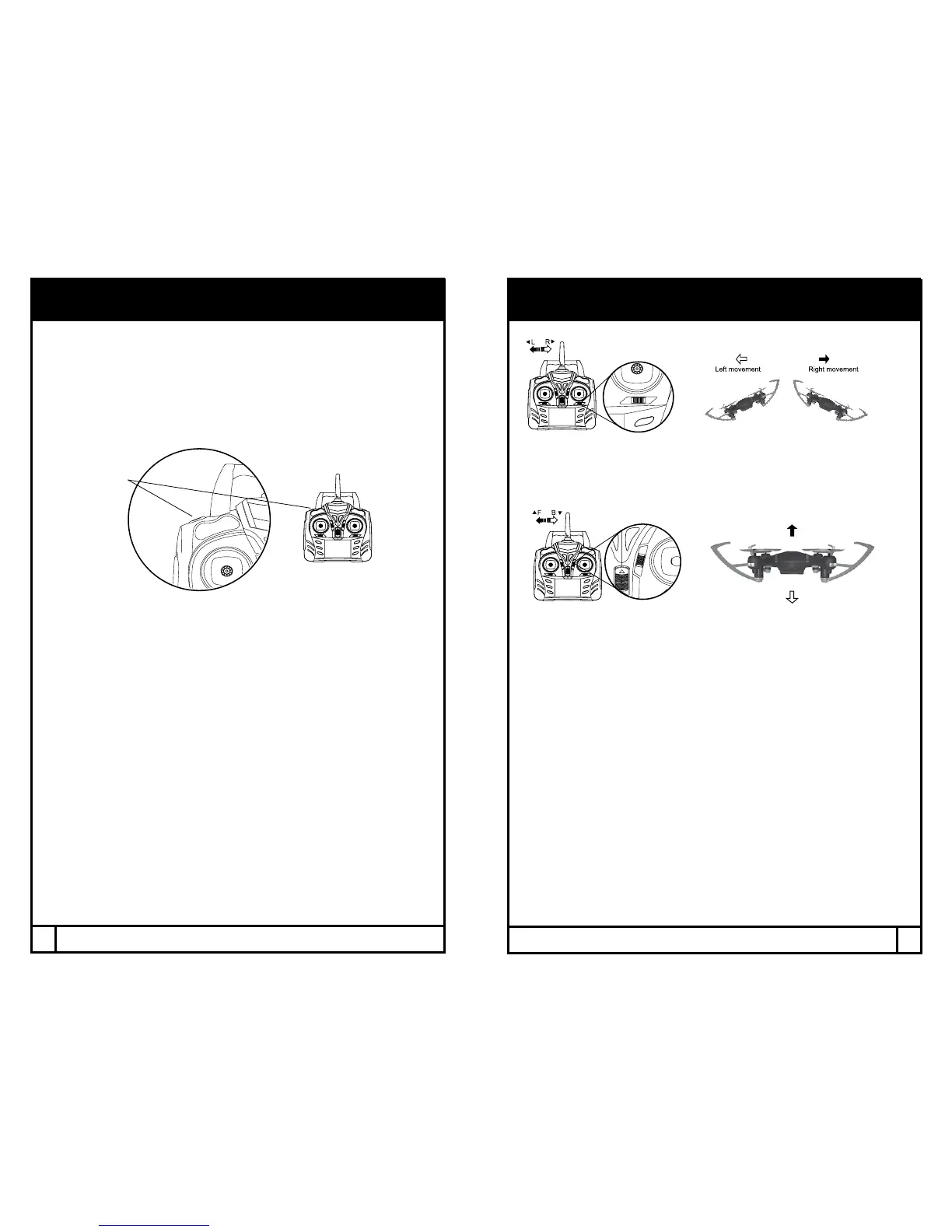
HIGH, MEDIUM, LOW SPEED MODES
The VideoDrone FX features 3 speed modes. Low speed is at 40%,
Medium is at 70%, and High is at 100%. Choose the speed based on
ight experience and level of comfort.
Press the Speed +/- button to change the speed mode. The remote control
indicator will beep once for low speed, twice for medium, and three times
for high.
TRIM ADJUSTMENT
SIDEWAYS TRIM
When the drone veers to the left or right side unintentionally, you can
correct it by pressing the trim button in the opposite direction until it
evens out.
FORWARD/BACKWARD TRIM
When the drone veers forward/backward unintentionally, you can correct
it by pressing the trim button in the opposite direction until it evens out.
*NOTE: Trim adjustments are designed to counter drifts not caused
by wind.
Speed Button
12
13
Backward
Forward



 To Next Page