EasyManua.ls Logo

Proxima DP5800 - Page 19

Proxima DP5800
29 pages
Print Icon
To Next Page IconTo Next Page
To Previous Page IconTo Previous Page
Loading...
19
Connecting to an RGB Signal (continued)
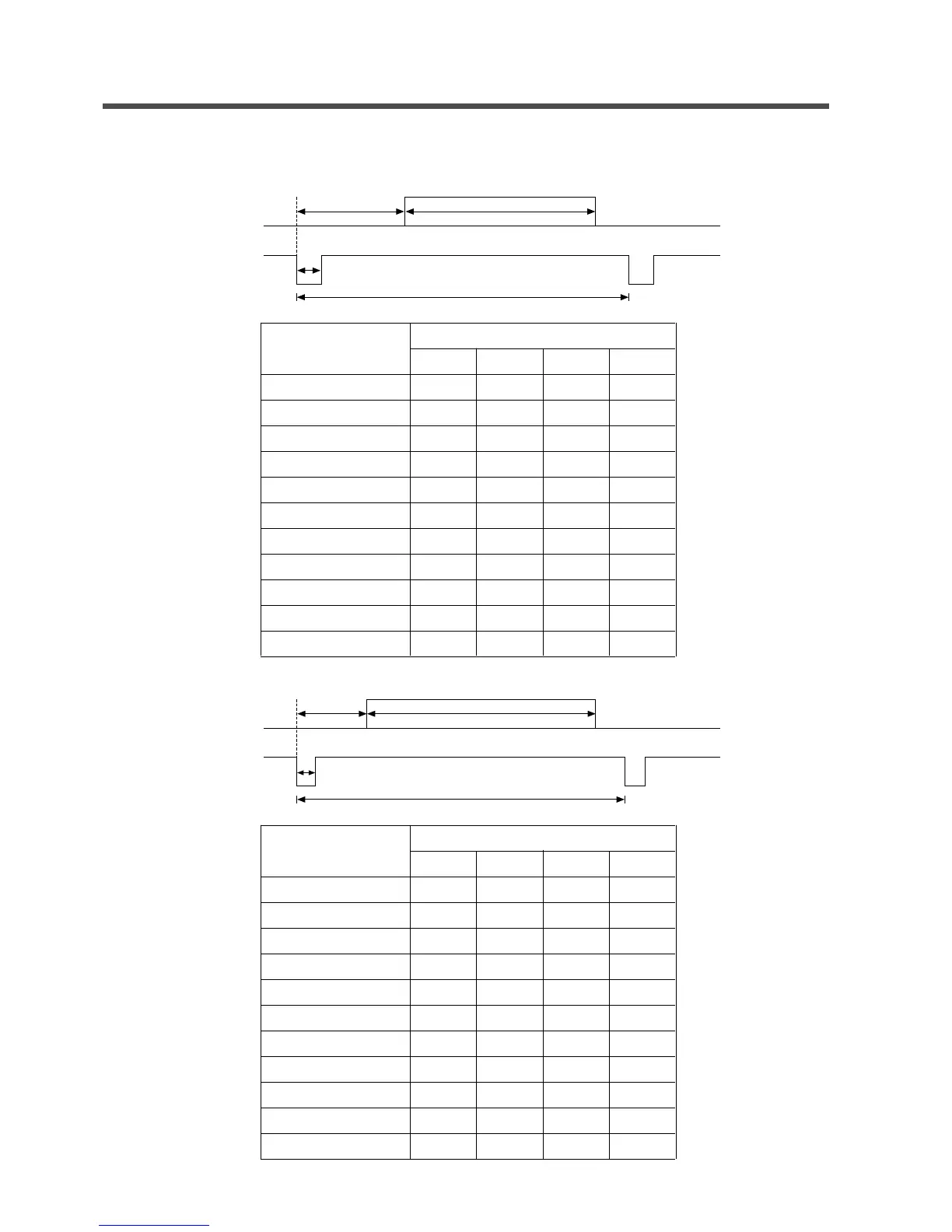
4.Initial signal settings
The following signals are initially set. The settings may need to be changed for specific computer types.
Use the Setup menu (page 16) to adjust the settings.
DATA
HSYNC
a
c
d
b
a
9.8
5.7
5.7
5.7
5.3
5.4
5.4
3.7
5.0
4.0
3.6
c
4.7
3.8
3.8
3.8
2.1
1.3
3.2
2.4
1.1
2.8
1.2
b
52.7
25.2
25.2
25.2
21.2
20.5
20.0
16.0
14.5
16.0
12.8
d
63.6
31.8
31.8
31.8
28.6
26.7
26.4
20.8
20.1
20.4
16.6
Computer/Signal sorce
Horizontal Timing (µs)
15kHz RGB
VGA-1
VGA-2
VGA-3
Mac 13inch mode
VESA (72Hz)
SVGA (60Hz)
SVGA (72Hz)
Mac 16inch mode
XGA (60Hz)
XGA (75Hz)
DATA
VSYNC
a
c
d
b
a
19.5
62
37
35
42
31
27
29
42
48
44
c
3
2
2
2
3
3
4
6
4
8
3
b
240
350
400
480
480
480
600
600
624
768
768
d
262.5
449
449
525
525
520
628
666
667
817
803
Computer/Signal sorce
Vertical Timing (µs)
15kHz RGB
VGA-1
VGA-2
VGA-3
Mac 13inch mode
VESA (72Hz)
SVGA (60Hz)
SVGA (72Hz)
Mac 16inch mode
XGA (60Hz)
XGA (75Hz)

Related product manuals