3
Clean the air filter using a vacuum cleaner.
If dirt is still present, wipe the air filter with a cloth moistened with water, or use a neutral detergent and
wipe the filter dry with a dry cloth.
4
Re-install the air filter.
Caution
If the air filter is filled with dust, etc., the protection circuit will turn the projector power off.
Lamp Replacement
The estimated operating time of the lamp is approximately 700 hours. The following symptoms indicate that the
lamp should be replaced:
• A dark picture.
• “CHANGE THE LAMP” on-screen message.
• LAMP indicator glows red.
Contact your dealer for replacement lamps.
Cleaning the air filter
Clean the air filter about every 100 hours of operation.
1
Turn off the MAIN POWER switch of the projector and pull out
the power cord.
2
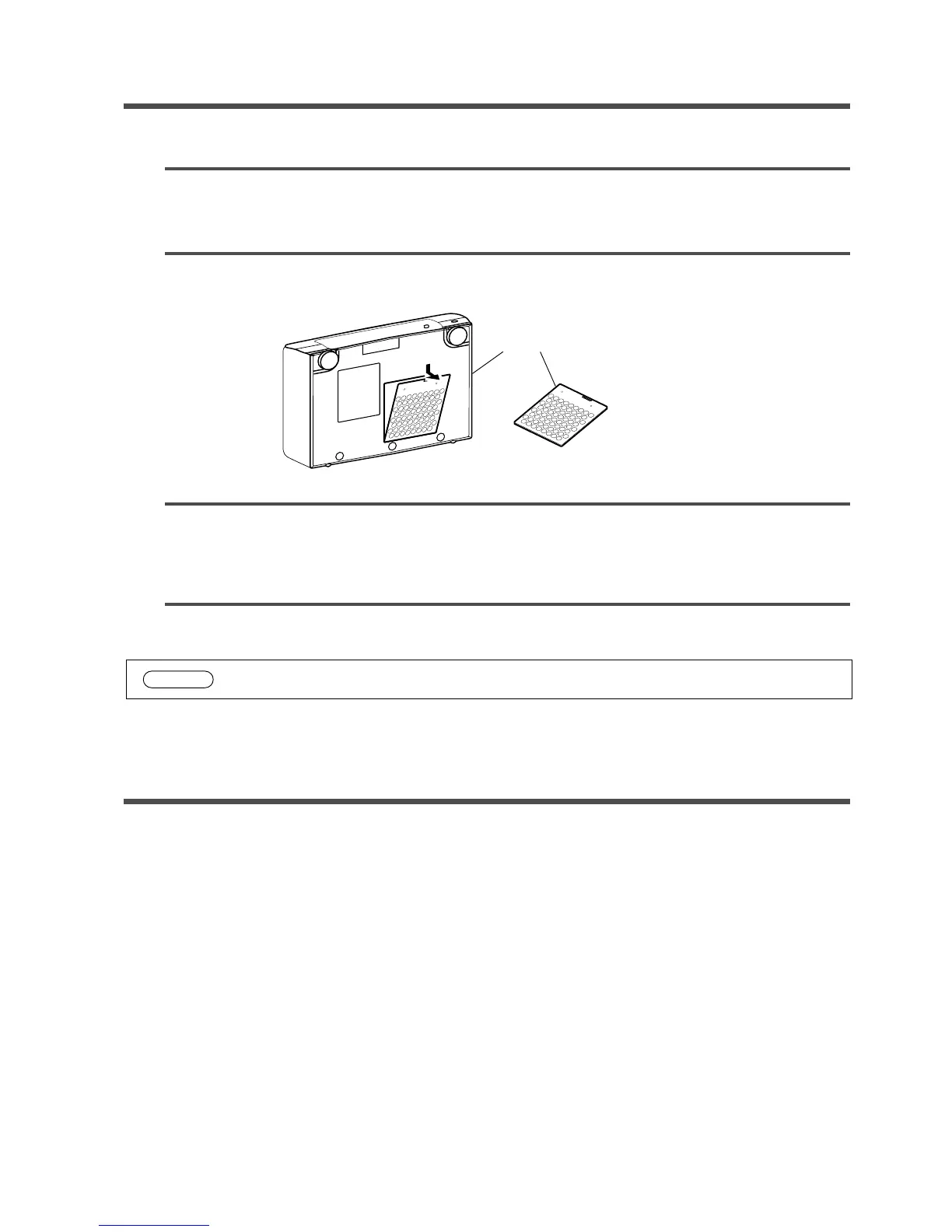
Remove the air filter from the bottom.
2
26


 To Next Page