18
Connecting to an RGB Signal (continued)
3.Example of computer signal
Computer/Signal source
15kHz RGB
(NTSC)
VGA-1
(IBM compatible)
VGA-2
(IBM compatible)
VGA-3
(IBM compatible)
Macintosh 13 inch mode
(Apple)
VESA (72 Hz)
SVGA
(VESA 60Hz)
SVGA
(VESA 72Hz)
Macintosh 16 inch mode
(Apple)
XGA
(VESA 60Hz)
XGA
(VESA 75Hz)
Resolution
H × V
—
640 × 350
640 × 400
640 × 480
640 × 480
640 × 480
800 × 600
800 × 600
832 × 624
1024 × 768
1024 × 768
fH
(kHz)
15.7
31.5
31.5
31.5
35.0
37.9
37.9
48.1
49.7
48.4
60.0
fV
(Hz)
60
70.1
70.1
59.9
66.7
72.8
60.3
72.2
74.5
60.0
75.0
Sync Signal
H, V composite
H, V separate
H: Positive
V: Negative
H, V separate
H: Negative
V: Positive
H, V separate
H: Negative
V: Negative
H, V separate
H: Negative
V: Negative
H, V separate
H: Negative
V: Negative
H, V separate
H: Positive
V: Positive
H, V separate
H: Positive
V: Positive
H, V separate
H: Positive
V: Positive
H, V separate
H: Negative
V: Negative
H, V separate
H: Positive
V: Positive
Note
∗
1
SW 1 ON
SW 2 ON
∗
1
SW 2 ON
SW 4 ON
Interlaced /
Non-interlaced
Interlaced
Non-interlaced
Non-interlaced
Non-interlaced
Non-interlaced
Non-interlaced
Non-interlaced
Non-interlaced
Non-interlaced
Non-interlaced
Non-interlaced
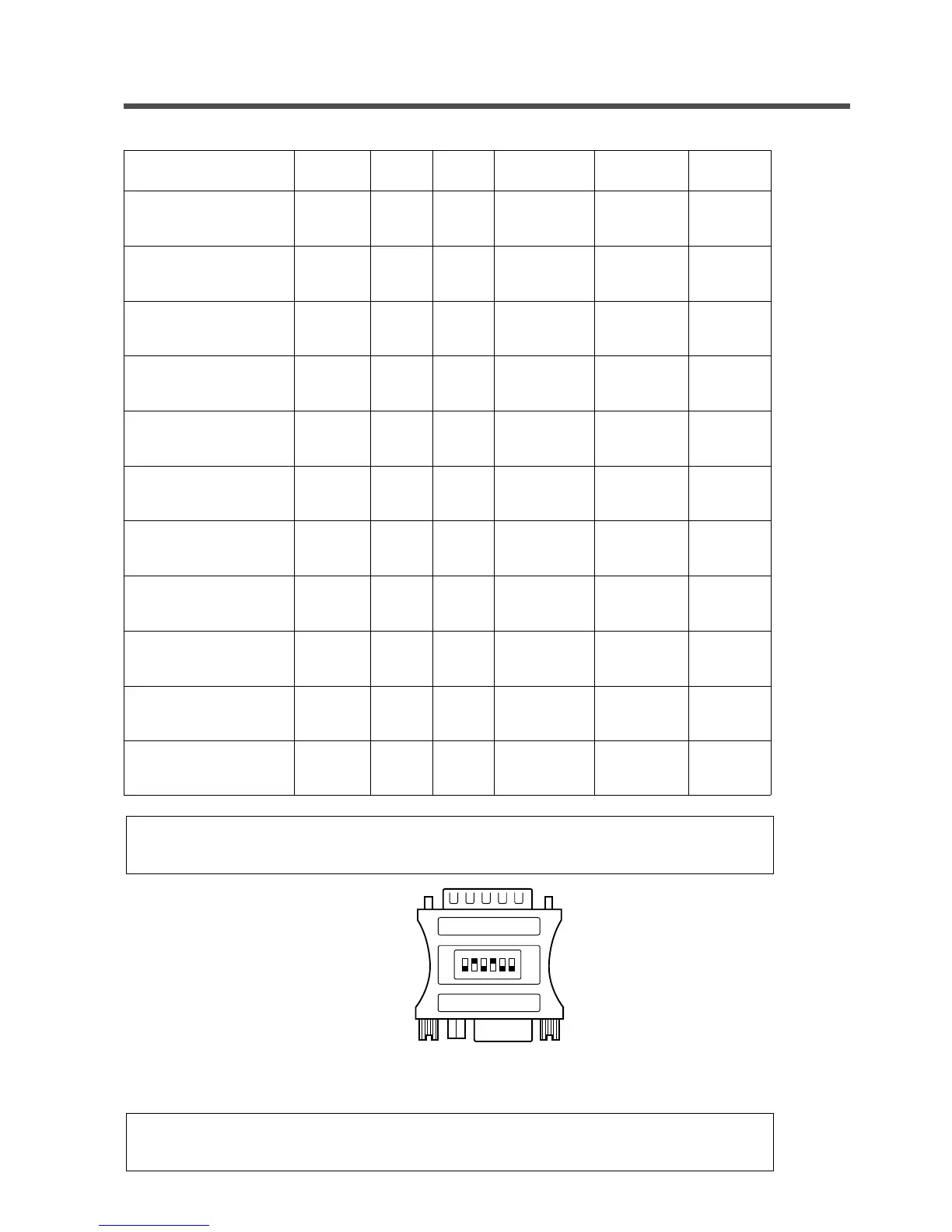
NOTE: A MAC adapter is necessary to set the resolution mode. The projector is compatible
with 13inch and 16inch mode.
654321
OFFON
Sample 16inch mode adaptor
NOTE: Some input sources may not be displayed properly because they are not compatible
with the projector.
XGA images will be compressed to 800 x 600. Some lines may therefore be missing.


 To Next Page