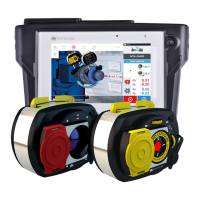
ROTALIGN touch computer
ROTALIGN touch computer has a multi-touch screen and is operated by tapping and swiping. The
computer is turned on by pressing and holding down the On/Off switch at the front of the computer
until it beeps.
The computer is turned off by tapping the On/Off icon [ ] appearing in the home screen.
Computer interfaces, built-in camera, and labelling
ROTALIGN touch computer has three interfaces housed under the sliding dust cap located at the top
of the computer.
2 Edition: (Undefined variable: General.Edition)
(Undefined variable: General.UserGuideTitle)


 To Next Page
