16
3) How to Save the Channel Manually on DAB?
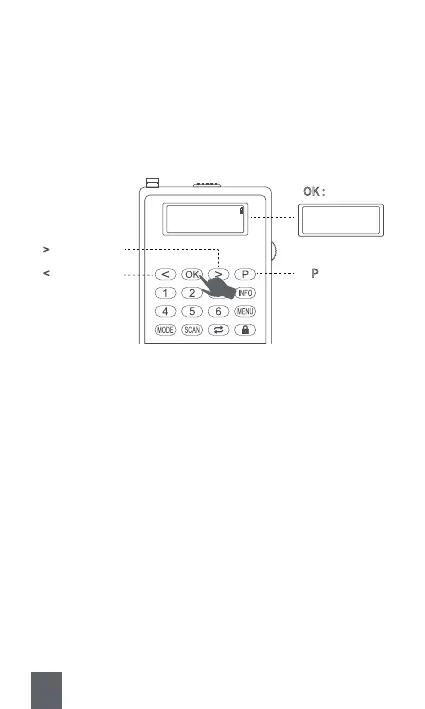
A. Save with Button “P”
Step1 : Long press <⑪P> to saving mode.
Step2 : Press <⑧Previous/Rewind> or <⑩Next/Fast-forward> to select
the serial number you want to number the channel as.
Step3 : Press <⑨OK> to confirm. Then the screen will show the chan-
nel has been stored successfully.
Preset Store
<4: 174.928MHz >
⑧ < : Short press ⑪ P : Long press
⑨ OK :
Short press
⑩ >
: Short press
Preset 4
Stored
Step1.
Step2.
Step3.



 To Next Page