14.2 MAIN MENU
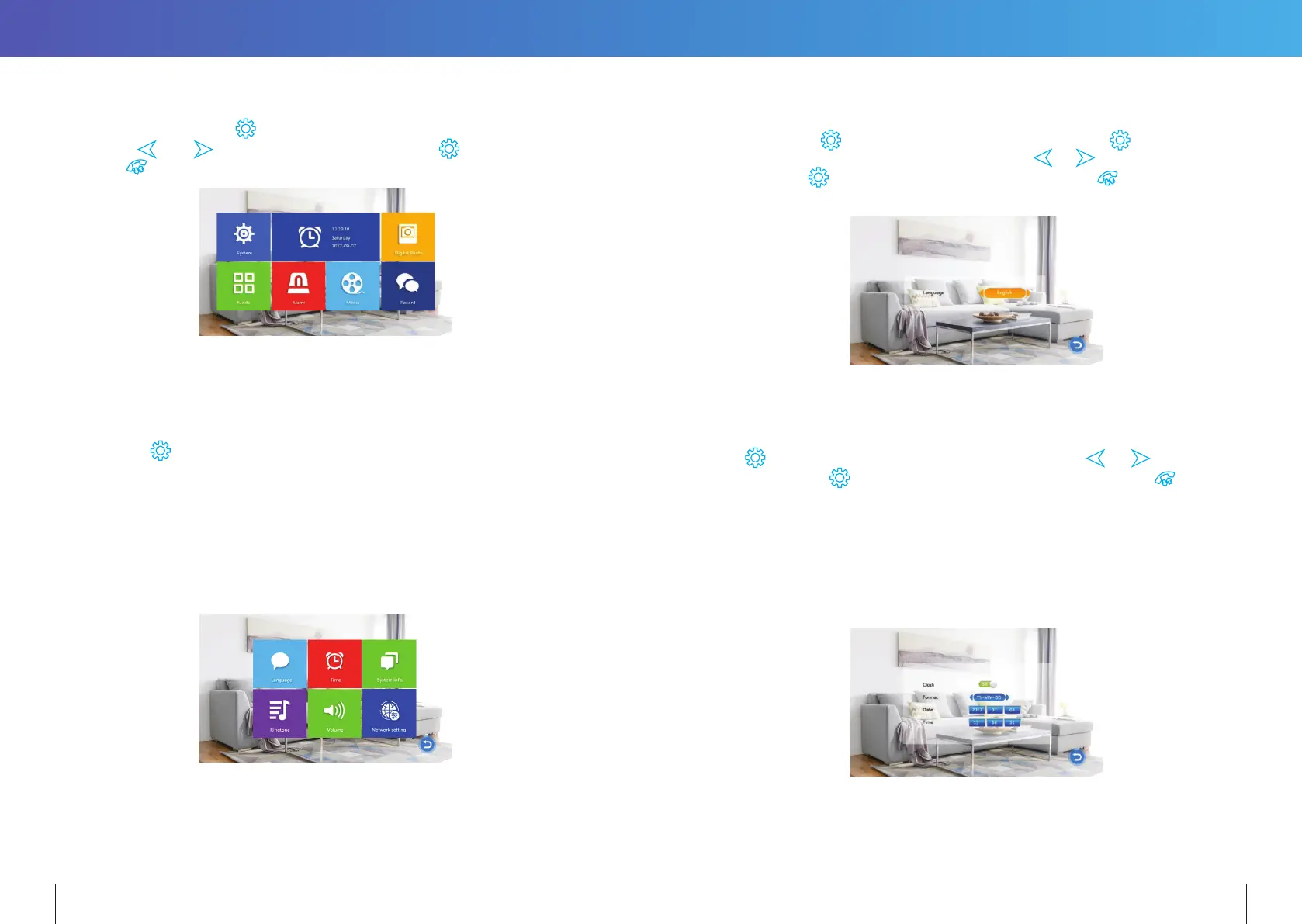
While in standby mode, press to open the Main menu. While in the Main menu (see
below) press
and to navigate through the menu. Press again to choose an
item. Press
to go back to the previous menu or Standby screen.
The Monitor will automatically return to Standby mode after 60sec of user inactivity.
DEFAULTING TO FACTORY SETTINGS
To default the system to factory default settings, when monitor is in standby mode,
press and hold
for 10 seconds.
The system will reboot and note all settings set by user will be erased and return
to factory settings.
14.2.1 PARAMETER SETTINGS
The System menu includes the following icons: Language, Time, System Info, Ringtone,
Volume and Network Setting.
14.2.1.1 Language
The system language can be changed. In the System menu, move cursor selection to
“Language”, press
button to enter the “Language” menu. Press button again;
the arrow icons on both sides will change colour. Press
& to change the system
language. Press
button again to confirm change. Then press
button to return to
previous menu.
14.2.1.2 Time
The Time settings adjusts the system date and time and what will be displayed in Standby
mode.
Press
over a highlighted item to change its setting. Use the or to change
its value, then press
again to confirm changes. Once completed, press
to return
to the System menu.
1. The Clock Switch controls whether the clock is displayed in Standby mode.
When turned o, the Standby screen will be all black, without a clock display.
However, the digital photo frame will still be displayed (if turned ON).
2. Set the display format of the clock in “Date Format”.
3. The Time is displayed in 24-hour format only.
18 19


 To Next Page