42
Troubleshooting Gates
Warning: Installing and troubleshooting gates should only be done by trained
service technicians due to the dangers of injury, death, and property damage from
electrocution, and the possibility of crushing, breaking, or severing of limbs from
moving parts. All gates should be installed and serviced by trained professionals
and meet all local, state, federal, and UL guidelines and safety regulations.
Most gate problems occur due to a lack of maintenance or improper
maintenance. Gates should be regularly serviced by a trained service
technician. A regular routine of service and maintenance should be
planned for in the budget and scheduled throughout each year. Typical
maintenance tasks that should be performed on gates include:
• Oil and grease gates with the recommended lubricants
• Clean parts using the proper solvents
• Inspect wheels, gears, chains, and other moving parts for wear
or damage and replace immediately if necessary
• Tighten and adjust the chain regularly
• Clear weeds and rocks away from the chain and gate path
• Keep track free from debris and in good working order
(unbroken and not lifting up or bending)
• Check the set screws and adjustment nut regularly
• Test loops, beams, and sensor edges regularly and
immediately replace or repair them if not working correctly
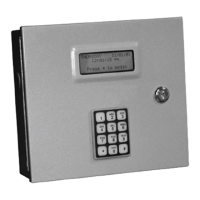
If there is a problem with the gate opening or closing, try a code or
card at the AI device controlling the gate to see what happens. Be
sure the code or card is one that is known to be working.
If the gate closes on vehicles or people, immediately open the gate
using a manual override or block access to the gate to prevent
property damage, injury, or death. Then, contact a gate service company
to repair the gate.
If the gate does not open at all, refer to Troubleshooting Guidelines
for Access Devices.
If the gate stays partway open or closed, contact a gate service
company to service the gate.
If the gate is slow, sticking, or hesitating, contact a gate service
company to service the gate.
If the gate opens and stays open, check the relay settings and the hold
open times in the control software and in the keypads, or contact the
gate installer to ensure that safety features aren’t holding the gate.
Do not open the gate
operator cover if you
are not a trained Gate Service
Technician!!
To prevent injury or
death, keep children
away from the gate.



 To Next Page