11984 Rev01 Page 9 of 15
3.1 Installation
Correct the Supervisor Parameters
Several parameters are different for the SENTRY 1510. When replacing an
existing controller, these parameters must be changes for optimum operation.
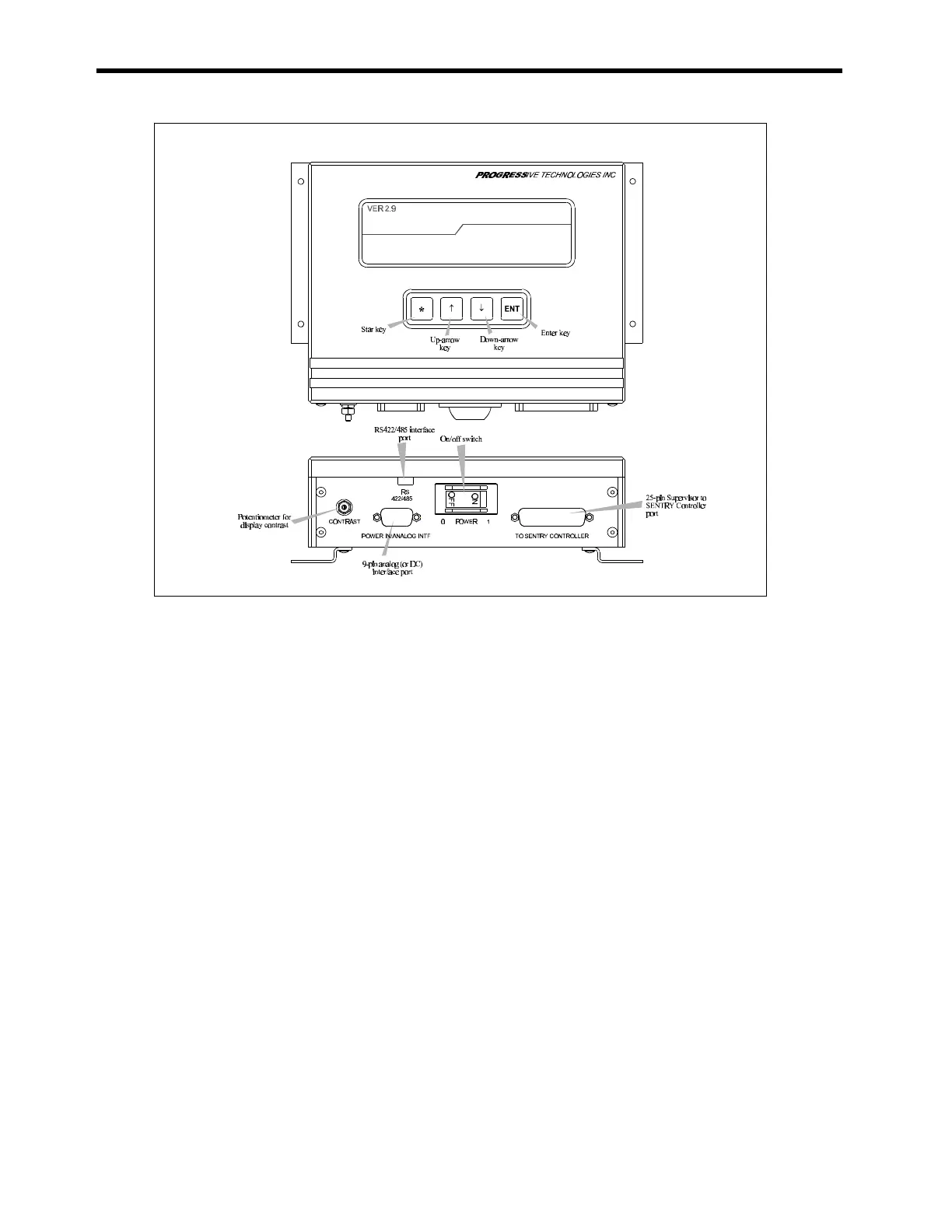
1. Change the GainFine to 10: Use the up-arrow []and down-arrow [] keys to
scroll the Supervisor parameters to GainFine. Press the Star key [*] to enable
the change. Use the down-arrow to change the GainFine to 10. Press the
Enter key [ENT] to execute the change.
2. Change the Deadband to 56: Use the down-arrow [] key to scroll to Deadband.
Press the Star key [*] to enable the change. Use the up-arrow []to change the
Deadband to 56. Press the Enter key [ENT] to execute the change.
3. Save the Changes: Use the up-arrow key [] to scroll to SaveData. Press the
Star key [*]. Press the down-arrow [] key until the SaveData code reads 0.
Press the up-arrow [] key until 77 is reached. Press Enter [ENT] to save the
parameters.
Figure 3-6 : All cable connections to the SENTRY Supervisor are keyed to
prevent misinstallation.



 To Next Page