Need help?
Do you have a question about the Pullman PV500 and is the answer not in the manual?
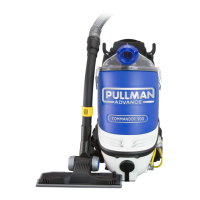
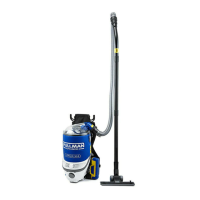
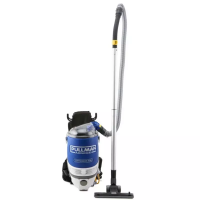
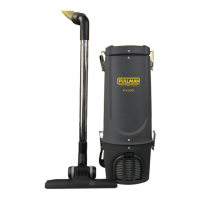
The Pullman PV500 Backpack Vacuum Cleaner is a commercial-grade cleaning solution designed for various environments such as offices, schools, restaurants, and gymnasiums. It features a powerful 1200W motor, making it suitable for efficient dry dirt and dust removal from carpets, flooring, and fabrics.
Before any cleaning or maintenance, always switch off the cleaner and remove the plug from the AC power supply. The cleaner must only be connected to an AC power supply at the voltage shown on the rating label. It should only be used for its intended purpose as described in the instruction manual. Never operate the vacuum cleaner without filters.
The appliance is not intended for use by persons (including children) with reduced physical, sensory, or mental capabilities, or lack of experience and knowledge, unless they have been given supervision or instruction concerning its use by a person responsible for their safety. Children should be supervised to ensure they do not play with the appliance. To prevent electrical shock, do not immerse the top cover, power cord, or power plug into water or other liquids, and do not use the vacuum cleaner outdoors.
Always check the power cord before use; it should be in good condition and undamaged. If the power supply cord is damaged or defective, it must be replaced by the manufacturer, its service agent, or similarly qualified persons to avoid a hazard. Do not unplug by pulling on the power cord; grasp the plug itself. Use only Australian and New Zealand electrical safety-approved extension cords. Do not pull or carry the appliance by the power cable, use it as a handle, or pull it around sharp edges or corners. Ensure the appliance is switched off before unplugging.
Do not handle or operate the appliance with wet hands and follow electrical safety precautions at all times. Exercise extreme caution when using the appliance on stairs. Do not attempt to change attachments while the appliance is plugged into the Mains power supply; switch off and remove the plug. Use only manufacturer's recommended accessories.
Do not operate the vacuum cleaner too close to heaters, radiators, and other hot surfaces. Do not use the appliance to pick up flammable items or combustible liquids (e.g., gasoline, hot ashes, cigarettes, matches, explosive materials, or anything burning) or use it in areas where such substances are present. Do not use the appliance to pick up toxic materials (e.g., chlorine bleach, ammonia). Ensure the appliance is disconnected from the Mains power supply before connecting the hose to the unit.
Before vacuuming, remove any large or sharp objects from the floor or cleaning surface to prevent damage to the filter. If the air inlet, floor head, or telescopic tube is blocked, switch off the cleaner straight away and remove it from the Mains power. Clear the blocked object before attempting to start the cleaner vacuum again.
Do not leave the appliance unattended when it is connected to a Mains power supply. Before carrying out any maintenance service or cleaning the filters, always switch off the vacuum cleaner and disconnect the plug from the power supply. Keep ends of the hose, telescopic tube, and other openings away from your face and body. Do not use the vacuum cleaner if it is damaged or breaks down; check the electrical components regularly for defects. If connection cables, electrical hoses, electrical contacts, and electrical tubes are damaged, have them replaced immediately.
Never clean any of the electrical parts, especially the electrical connections, with water or liquid cleaners. Never attempt to make any electrical modifications to the vacuum cleaner. Always store the appliance indoors in a cool and dry place. For indoor use only. Damage caused by improper use or by not observing the instructions in this manual will void the warranty.
This machine is equipped with a cord and plug. In the event that either of these parts gets damaged, it must be repaired by a qualified technician.
Always switch off your Backpack and remove the plug from the Mains power supply before cleaning, assembling, when not in use, or attempting any maintenance task.
Do not use your Backpack if the power cord is damaged or if there are exposed internal wires. Do not use your Backpack if the motor housing is damaged. The motor housing contains electrical connections and is not a serviceable part. Return the product to your nearest Godfreys store if the motor is faulty or if the cords are damaged.
Your Backpack comes with straps fastened for ease of packing. Before fitting the Backpack, first loosen the various harness straps.
Attention: Disconnect from Mains power supply before doing any maintenance work. Always operate the cleaner with the cloth filter bag and paper dust bag correctly installed. This will prevent any damage to the cleaner and help maximize cleaning performance.
For customer service or product enquiries, contact 1800 815 270.
Your Pullman PV500 Backpack Vacuum Cleaner has a 1-year warranty against defects and failures when the product is used in accordance with the terms and conditions of this warranty and the operations manual. This warranty is provided by Electrical Home-Aids Pty Limited (ABN 62 007 539 577) and commences from the original date of purchase. Retain your original proof of purchase for any claims. This warranty is valid only in the country where the cleaner is purchased.
The product must be operated in accordance with instructions and used only for reasonable commercial cleaning activities, including the removal of dry dirt and dust from carpets, flooring, and fabrics. It is designed as a general commercial cleaner and should not be used for collecting vitreous building material, particle board, construction products, wood/fibres, cement, fillers, fibre glass, or excessive/frequent sand, as this will void the warranty.
Accessories and consumables, including dust bags and filters, are not subject to this warranty unless defective in manufacture. Regular care and maintenance are recommended to prolong their life. Use of unapproved or non-recommended consumables will void the warranty. Misuse or failure to follow instructions will void this warranty.
In the event of service or advice, immediately stop using the product and contact Electrical Home-Aids Pty. Limited at Brandon Office Park, Building 3, First Floor, 530-540 Springvale Road, Glen Waverley, Victoria 3150, or call 1800 815 270 (AUS) or 0800 282 288 (NZ), Monday-Friday 9am-5pm AEST.
The decision to repair or replace a product under warranty is at the discretion of Electrical Home-Aids Pty. Limited. Any transportation costs involved in a claim shall be borne by the claimant. Electrical Home-Aids Pty. Limited will not accept responsibility for repair work not carried out by an authorized Service Agent or defects arising from non-genuine parts. This warranty does not cover the cost of replacing parts due to normal wear and tear, alterations, improper installation, physical abuse, misuse, or accidental damage. If proof of purchase cannot be provided, any work will be at the claimant's cost.
The repair or replacement of the product under this warranty does not extend the original warranty period. The benefits conferred by this warranty are in addition to all other rights and remedies under the Competition and Consumer Act 2010 (Cth) and other State and Territory laws. Our goods come with guarantees that cannot be excluded under the Australian Consumer Law. You are entitled to a replacement or refund for a major failure and compensation for any other reasonably foreseeable loss or damage. You are also entitled to have the goods repaired or replaced if they fail to be of acceptable quality and the failure does not amount to a major failure.
 General
| Brand | Pullman |
|---|---|
| Model | PV500 |
| Category | Vacuum Cleaner |
| Language | English |

 To Next Page