19
EN
6
CAUTION
does not wiggle after adjusting.
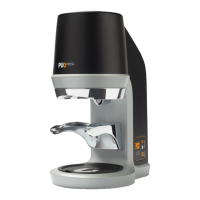
4.3 Setting up the coffee grinder
6
CAUTION
Always place the PUQpress on a level,
1. Slide the back of the PUQpress over the
edge of the table or bar where you want
2. Plug the power cable into the PUQpress.
3. Lift the coffee grinder with two people
and guide the power cable of the coffee
grinder from the top to the bottom of the
PUQpress.
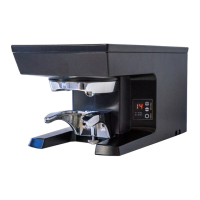
4. Place the coffee grinder on the
PUQpress.
5. Guide the power cables of the PUQpress
and the coffee grinder through a power
cable entry.
6
CAUTION
Make sure to guide the cables through the
cable guide(s) and clip(s) on the bottom. Not
doing so may result in the cables getting
damaged.
bar or table.
4.4 Switching on the PUQpress
6
WARNING
Never use the PUQpress if the PUQpress,
cable or plug is damaged. Any required
repairs may only be conducted by authorized
service personnel. For this reason, please
contact a customer service repair facility or
your dealer. Using the PUQpress if the
PUQpress, cable or plug is damaged may
result in electric shock, or injury.
1. Plug the other side of the power cable
into a socket and/or (wall) outlet.
2. Switch on the PUQpress by setting the
on/off switch to I.
5 OPERATION
Your PUQpress is now in operating condition.
Now you only need to use PUQpress and
adjust the settings to create perfect coffee!
Refer to the chapter ‘Safety instructions’ for
more information.
5.1 Preparation
5.1.1 Tools and materials
Required tools and materials
•
grounded coffee


 To Next Page
 Loading...