11
Using an auxiliary device
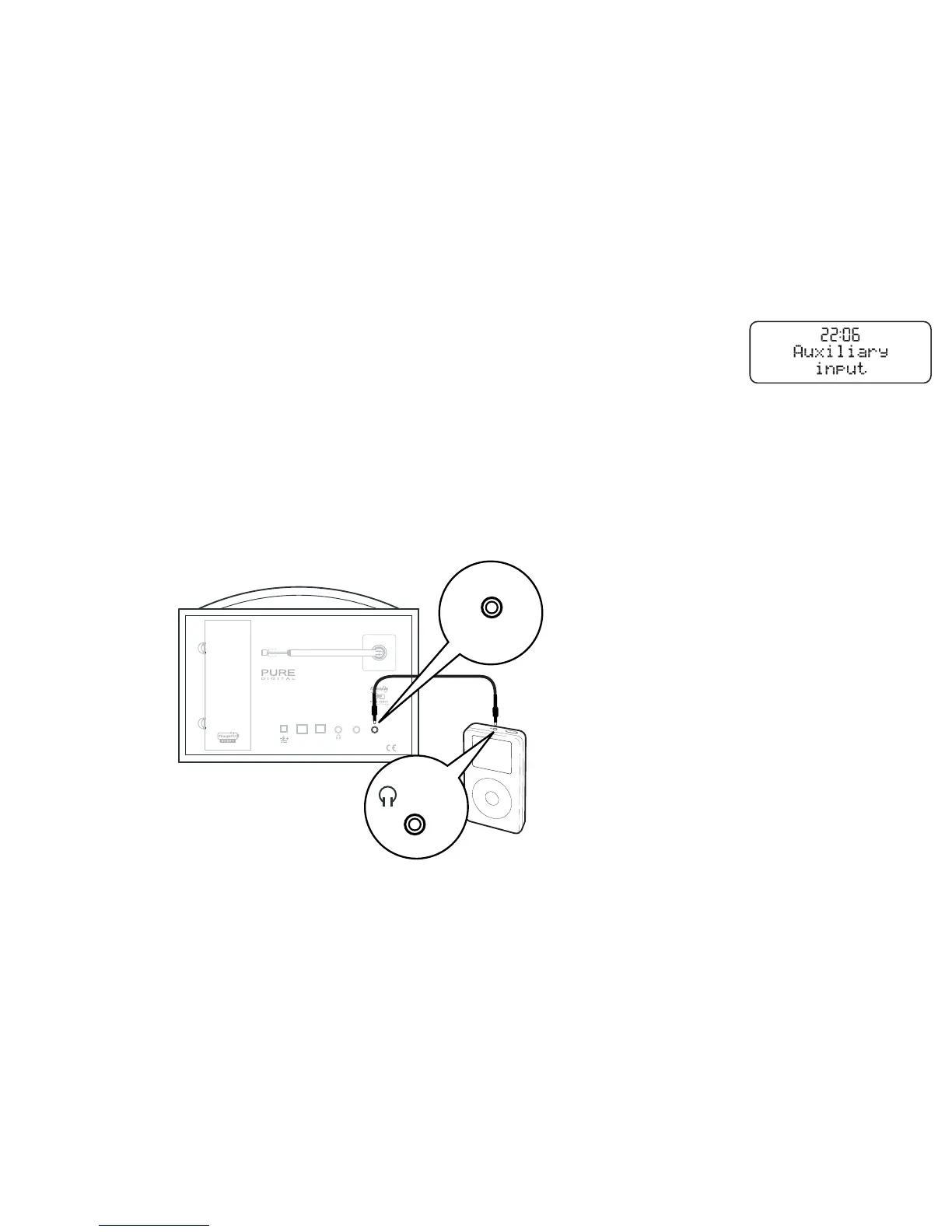
You can listen to an auxiliary device such as an iPod or CD player through the speakers on your
EVOKE-2
XT
by connecting it to the Aux In socket on the rear panel.
1. Use a dual phono to 3.5 mm or 3.5mm to 3.5mm stereo cable to connect to your device.
2. Press the DAB/FM/AUX button until you see ‘Auxiliary input’ on the screen.
3. Press play on your auxiliary device.
4. Set the volume high on your auxilary device then adjust volume and tone on your EVOKE-2
XT
as
required.
Digital Out Line Out Aux In
Aerial
USB
9V DC
Designed in the UK Manufactured in China
/ AUDIO OUT
Aux In
Auxiliary input mode


 To Next Page