EasyManua.ls Logo

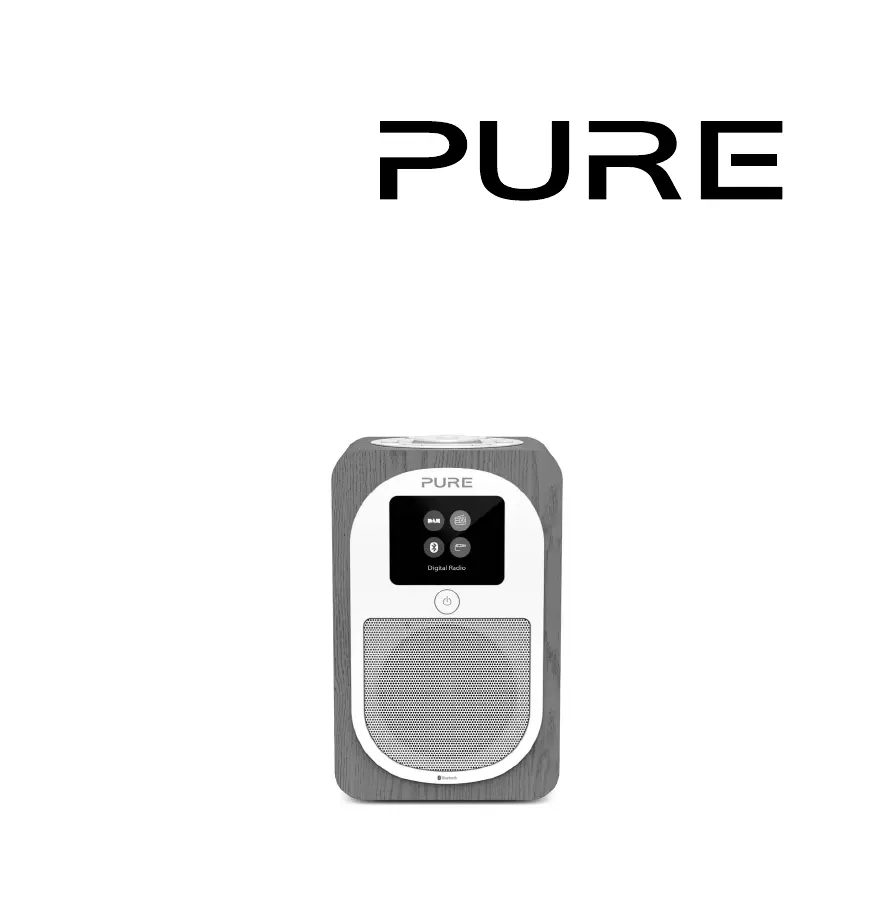
PURE Evoke H3 - User Manual

PURE Evoke H3
148 pages
Print Icon
To Next Page IconTo Next Page
Loading...
Evoke H3

Table of Contents

Questions and Answers

Summary

Safety

Safety Instructions and Cautions

Read, heed, and retain safety and operating instructions. Follow warnings.

Symbols Used on Product

Explains symbols indicating caution, DC voltage, and standby mode.

Getting Started

Evoke H3 Overview

Introduces the Evoke H3 and its features.

Front Panel Controls

Details the standby button on the front of the device.

Top Panel Controls

Explains the function of presets, alarm, source, volume/scroll, select, and back buttons.

Rear Panel Connections

Describes the 5.5V DC 1A input, headphone output, Aux in, and Micro USB connector.

Setting Up Your Evoke H3

Step-by-step guide to connect the aerial and power adapter.

Powering the Evoke H3 On and Off

Switching On

Instructions on how to switch the Evoke H3 on for the first time.

Switching Off and Standby

How to put the Evoke H3 into standby or switch it off.

Changing Volume

Instructions for increasing, decreasing, and muting the volume using the dial.

Digital Radio Operation

Listening to Digital Radio Broadcasts

How to select and listen to digital radio stations.

Changing Digital Radio Stations

Steps to browse and select different digital radio stations.

Automatic Tuning of Digital Radio Stations

How to perform an autotune to find digital radio stations.

FM Radio Operation

Listening to FM Radio Broadcasts

How to select and listen to FM radio stations.

Changing FM Radio Stations

Methods for scanning or manually tuning FM radio stations.

Adjusting FM Scan Settings

Options to adjust scan settings for strong signals or all stations.

Stereo or Mono Reception for FM Radio

How to choose stereo or mono reception for improved signal strength.

Using Radio Station Presets

About Radio Station Presets

Information about storing and accessing favorite radio stations.

Storing Stations to Presets

Guide to saving stations to preset buttons 1-3 or the preset list.

Accessing Preset Radio Stations

How to listen to a preset station using buttons 1-3 or the preset list.

Connecting Bluetooth and Auxiliary Devices

Connecting a Bluetooth Device

Steps to wirelessly connect and stream music from a Bluetooth device.

Connecting via Auxiliary Cable

How to connect an external device using an auxiliary cable.

Setting and Managing Alarms

Setting an Alarm

Instructions for setting up to two alarms, including wake-up time and source.

Cancelling Alarms

Steps to turn off a previously set alarm.

Snooze and Silence Alarm

How to snooze or silence an active alarm.

Using Timers

Setting the Kitchen Timer

Guide to setting and starting the kitchen timer function.

Silencing the Kitchen Timer

How to silence the kitchen timer when it goes off.

Setting the Sleep Timer

Instructions for setting the sleep timer to put the device into standby.

Device Settings and Customization

Personalising Audio Settings

Using the equalizer to adjust treble, bass, and loudness for audio playback.

Display Settings and Brightness

Options for adjusting display settings like brightness and information shown.

Customising Screen Information

How to modify the information displayed on the screen during radio playback.

Adjusting Screen Brightness and Dimming

How to manually change screen brightness and dimming settings.

Setting Clock and Date

Setting the time and date automatically or manually.

Changing Time and Date Formats

Options for selecting time (12/24 hour) and date formats.

Changing the Device Language

How to change the language of the device's menus and settings.

Resetting to Factory Settings

Steps to reset the Evoke H3 to its original factory settings.

Software Update Information

Information on how to check for and install software updates.

Using the ChargePAK Battery

About the ChargePAK

Explains the purpose and function of the rechargeable battery pack.

Inserting the ChargePAK Battery

Step-by-step guide for inserting the ChargePAK battery.

Troubleshooting Common Issues

Troubleshooting No Sound

Solutions for when there is no sound from the device.

Troubleshooting Dark Screen

Solutions for a screen that is too dark or unreadable.

Troubleshooting Radio Reception

Solutions for problems finding FM or digital radio stations.

Product Specifications

Comprehensive Technical Specifications

Details radio, frequencies, Bluetooth, speaker, power, inputs, outputs, presets, display, power adapter, ChargePAK, dimensions, aerial, and approvals.

Warranty and Legal Information

Product Warranty Details

Details the three-year warranty period and coverage.

Document Disclaimer

States limitations on representations and warranties for the document.

Trademarks and Copyright Notice

Lists product trademarks and copyright information.

Correct Disposal of Product

Guidance on responsible disposal of the product according to EU regulations.

Summary

Safety

Safety Instructions and Cautions

Read, heed, and retain safety and operating instructions. Follow warnings.

Symbols Used on Product

Explains symbols indicating caution, DC voltage, and standby mode.

Getting Started

Evoke H3 Overview

Introduces the Evoke H3 and its features.

Front Panel Controls

Details the standby button on the front of the device.

Top Panel Controls

Explains the function of presets, alarm, source, volume/scroll, select, and back buttons.

Rear Panel Connections

Describes the 5.5V DC 1A input, headphone output, Aux in, and Micro USB connector.

Setting Up Your Evoke H3

Step-by-step guide to connect the aerial and power adapter.

Powering the Evoke H3 On and Off

Switching On

Instructions on how to switch the Evoke H3 on for the first time.

Switching Off and Standby

How to put the Evoke H3 into standby or switch it off.

Changing Volume

Instructions for increasing, decreasing, and muting the volume using the dial.

Digital Radio Operation

Listening to Digital Radio Broadcasts

How to select and listen to digital radio stations.

Changing Digital Radio Stations

Steps to browse and select different digital radio stations.

Automatic Tuning of Digital Radio Stations

How to perform an autotune to find digital radio stations.

FM Radio Operation

Listening to FM Radio Broadcasts

How to select and listen to FM radio stations.

Changing FM Radio Stations

Methods for scanning or manually tuning FM radio stations.

Adjusting FM Scan Settings

Options to adjust scan settings for strong signals or all stations.

Stereo or Mono Reception for FM Radio

How to choose stereo or mono reception for improved signal strength.

Using Radio Station Presets

About Radio Station Presets

Information about storing and accessing favorite radio stations.

Storing Stations to Presets

Guide to saving stations to preset buttons 1-3 or the preset list.

Accessing Preset Radio Stations

How to listen to a preset station using buttons 1-3 or the preset list.

Connecting Bluetooth and Auxiliary Devices

Connecting a Bluetooth Device

Steps to wirelessly connect and stream music from a Bluetooth device.

Connecting via Auxiliary Cable

How to connect an external device using an auxiliary cable.

Setting and Managing Alarms

Setting an Alarm

Instructions for setting up to two alarms, including wake-up time and source.

Cancelling Alarms

Steps to turn off a previously set alarm.

Snooze and Silence Alarm

How to snooze or silence an active alarm.

Using Timers

Setting the Kitchen Timer

Guide to setting and starting the kitchen timer function.

Silencing the Kitchen Timer

How to silence the kitchen timer when it goes off.

Setting the Sleep Timer

Instructions for setting the sleep timer to put the device into standby.

Device Settings and Customization

Personalising Audio Settings

Using the equalizer to adjust treble, bass, and loudness for audio playback.

Display Settings and Brightness

Options for adjusting display settings like brightness and information shown.

Customising Screen Information

How to modify the information displayed on the screen during radio playback.

Adjusting Screen Brightness and Dimming

How to manually change screen brightness and dimming settings.

Setting Clock and Date

Setting the time and date automatically or manually.

Changing Time and Date Formats

Options for selecting time (12/24 hour) and date formats.

Changing the Device Language

How to change the language of the device's menus and settings.

Resetting to Factory Settings

Steps to reset the Evoke H3 to its original factory settings.

Software Update Information

Information on how to check for and install software updates.

Using the ChargePAK Battery

About the ChargePAK

Explains the purpose and function of the rechargeable battery pack.

Inserting the ChargePAK Battery

Step-by-step guide for inserting the ChargePAK battery.

Troubleshooting Common Issues

Troubleshooting No Sound

Solutions for when there is no sound from the device.

Troubleshooting Dark Screen

Solutions for a screen that is too dark or unreadable.

Troubleshooting Radio Reception

Solutions for problems finding FM or digital radio stations.

Product Specifications

Comprehensive Technical Specifications

Details radio, frequencies, Bluetooth, speaker, power, inputs, outputs, presets, display, power adapter, ChargePAK, dimensions, aerial, and approvals.

Warranty and Legal Information

Product Warranty Details

Details the three-year warranty period and coverage.

Document Disclaimer

States limitations on representations and warranties for the document.

Trademarks and Copyright Notice

Lists product trademarks and copyright information.

Correct Disposal of Product

Guidance on responsible disposal of the product according to EU regulations.

PURE Evoke H3 Specifications

General IconGeneral
Presets20
Speaker outputMono
ConnectivityBluetooth
Inputs3.5mm Aux-in
TypePortable DAB/FM Radio
DisplayLCD
PowerMains/Battery
FeaturesSleep timer, Alarm

Related product manuals