11
>
Listening to a preset
To listen to a preset from 1 to 3:
• Press a preset button from
to
. For example, to listen to the radio station stored as preset
2, press
2
.
To listen to any preset:
1. Press
to open the preset list.
2. Press the Select buttons to choose a preset.
Bluetooth and auxiliary devices
Connecting a Bluetooth device
You can use Bluetooth to wirelessly connect to a device, such as a mobile phone or tablet. You can then
stream music from your mobile phone or tablet through your Evoke H3.
The first time you connect a Bluetooth device to your Evoke H3, you need to pair them. After you’ve paired
a device with your Evoke H3, your Evoke H3 remembers it for the next time.
To connect a Bluetooth device:
1. Press
until ‘Bluetooth’ is displayed.
2. On your Bluetooth device, switch Bluetooth on and connect to your Evoke H3.
Note: For more information, see your Bluetooth device’s user manual. If you are asked to enter a
passcode, enter 0000.
When ‘Connected’ is displayed on your Evoke H3 screen, your Evoke H3 is ready to stream music.
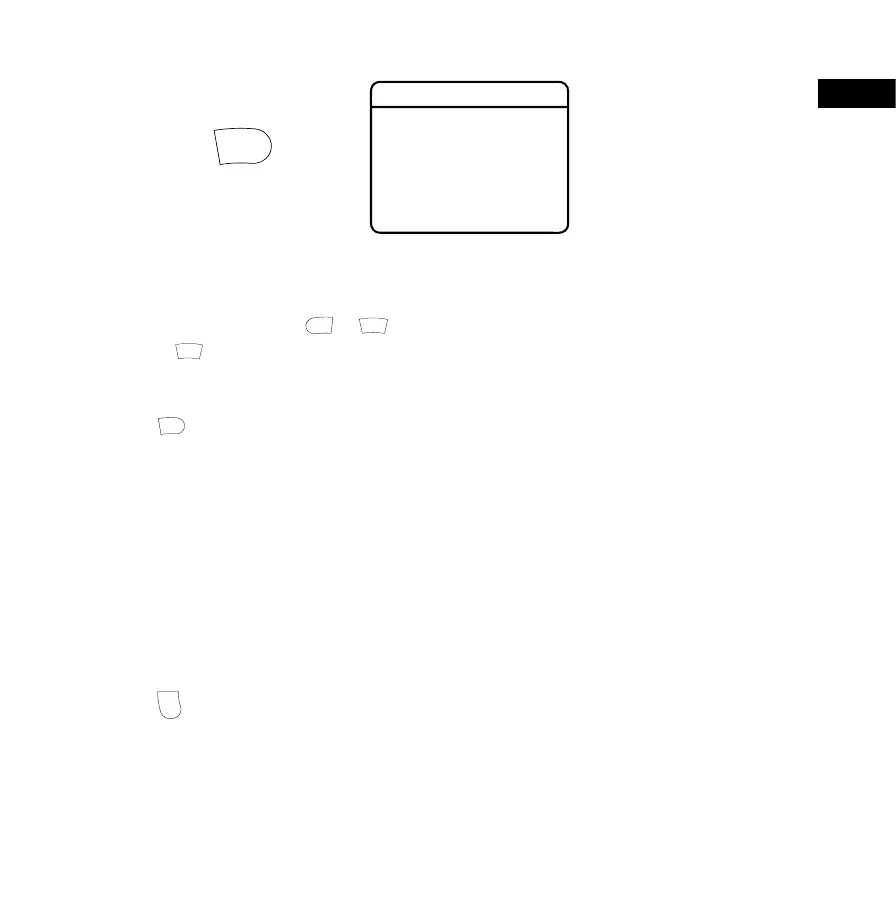
Save to Preset
1: BBC Radio 1
2: (Empty)
3: (Empty)
4: (Empty)
5: (Empty)
6: (Empty)
7: (Empty)
EN


 To Next Page