Alarms and timers
Setting an alarm
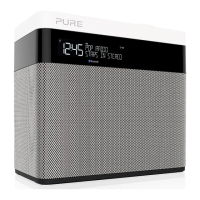
One Maxi has two alarms which can switch the radio
on and tune to a digital or FM radio station or sound
an alarm tone.
1. Press the Menu button.
2. Scroll < > to ‘ALARM’ and press the Select button.
3. Scroll < > to ‘ALARM1’ or ‘ALARM2’ and press the
Select button.
4. Scroll < > to ‘ON’ and press the Select button.
5. Scroll < > to set the hour for the alarm and press
the Select button. Repeat to set the minute for the
alarm.
6. Scroll < > to set the duration of the alarm and press
the Select button.
7.
Scroll < > to specify ‘FM’, ‘DIGITAL’ or ‘TONE’
and press the Select button to confirm. If you are
specifying a tone alarm, skip to step 8.
8. Scroll < > to specify which station should be played
when the alarm goes off. You have the option of
selecting one of your preset stations or you can
select ‘LAST USED’ to select the station that you
were last listening to. Press Select to confirm.
9. Scroll < > to specify one of the following alarm
repeat options:
‘DAILY’, ‘WEEKDAYS’, ‘WEEKENDS’ or ‘ONCE’ and
press the Select button to confirm.
10. Use < > to set the volume that the radio will play at
when the alarm sounds and press the Select button
to confirm.
11
. The alarm icon will light steadily on the display to
show that the alarm has set.
Note: If One Maxi is running on batteries or a ChargePAK, One Maxi’s alarm
function will not work if you turn One Maxi off after setting an alarm.
1700
AM



 To Next Page