Options and settings
General settings
Changing the language shown on the display
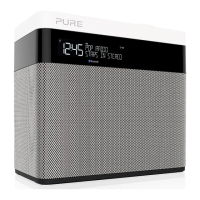
To switch the display language on One Maxi between English, French, German,
Italian and Spanish:
1. Press the Menu button.
2. Scroll < > to ‘SETTINGS’ and press the Select button.
3. Scroll < > to ‘LANG.’ and press the Select button.
4. Scroll < > and press the Select button to choose the language that you want
One Maxi to display.
Resetting One Maxi to factory settings
Resetting your One Maxi radio removes all presets, clears the station list and
resets all options to defaults. To carry out a factory reset:
1. Press the Menu button.
2. Scroll < > to ‘SETTINGS’ and press the Select button.
3. Scroll < > to ‘RESET’ and press the Select button.
4. Scroll < > to ‘YES’ and press the Select button.
Displaying One Maxi’s software version
To display software version that is currently running on One Maxi:
1. Press the Menu button.
2. Scroll < > to ‘SETTINGS’ and press the Select button.
3. Scroll < > to ‘VERSION’ and press the Select button.
Updating One Maxi to the latest version of software
Contact Pure technical support (http://support.pure.com) for more
information on how to update One Maxi to the latest software version.



 To Next Page