16 StreamR User Guide
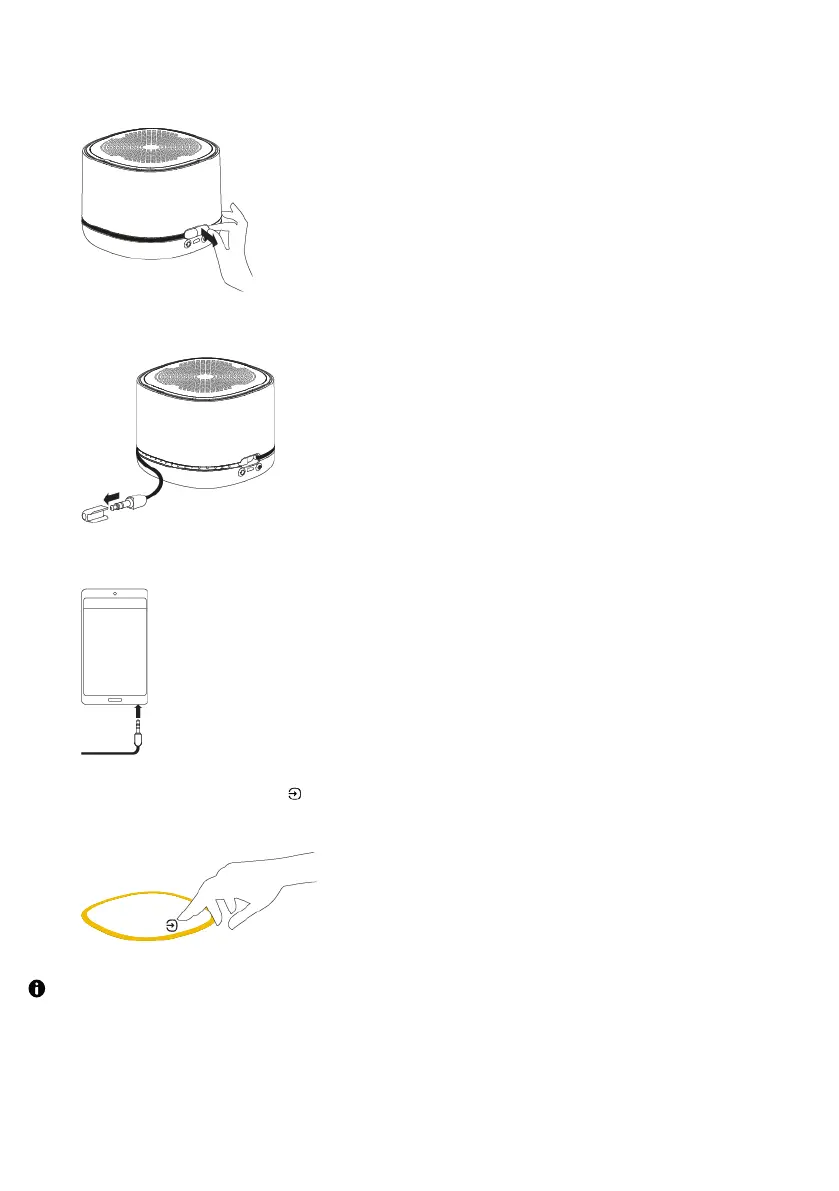
1. Pull the end of the auxiliary cable at the back of the speaker, to start extending the
cable.
2. Extend the auxiliary cable to the desired length and remove the cable's cap.
3. Connect the auxiliary cable to your mobile device.
4.Press the Source button to change to auxiliary input, indicated by the light ring
turning amber.
If you change the volume on your StreamR and the audio isn't loud enough, try increasing
the volume on your mobile device.



 To Next Page