Checking the battery level
To check the battery level, press and hold the right button and the left button together.
If your speaker is open, the battery level is shown on the display. If your speaker is closed,
the light ring shows green segments to indicate the battery level.
Rebooting your StreamR
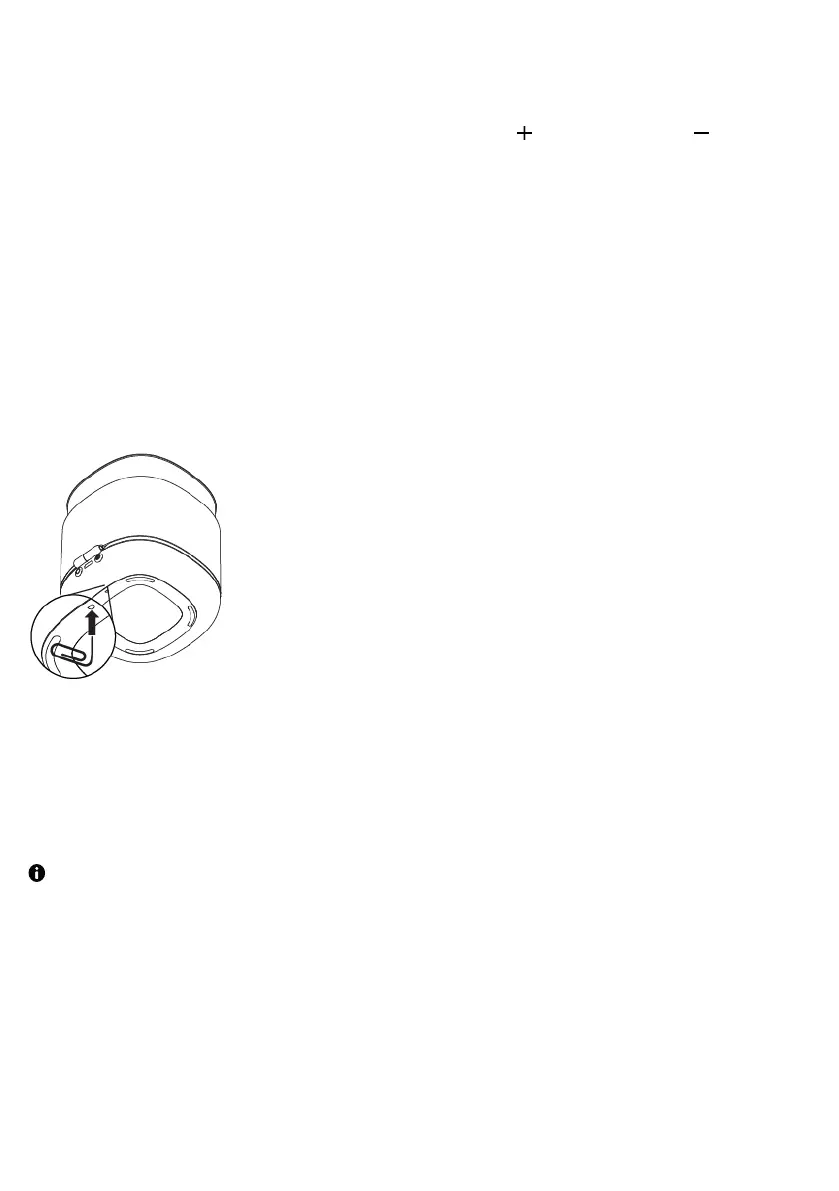
If your StreamR is not responding, you can physically reboot the speaker.
To reboot your StreamR, insert a paperclip into the reset hole on the bottom of your
speaker, until you make contact with the reset button. Then press the reset button.
Restoring to factory conditions
You can restore your StreamR to factory conditions to clear all settings and saved presets.
Your StreamR needs to be running on battery mode to restore it to factory conditions.
To restore your StreamR to factory conditions:
StreamR User Guide 17



 To Next Page