EasyManua.ls Logo

PXM PiXiMo 18 - User Manual

PXM PiXiMo 18
20 pages
To Next Page IconTo Next Page
Loading...
MANUAL
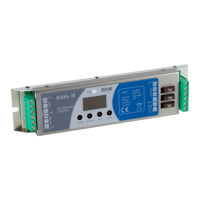
LED Driver
3 x 6A OC
PX282
R
PiXiMo 18
Question and Answer IconNeed help?

Do you have a question about the PXM PiXiMo 18 and is the answer not in the manual?

PXM PiXiMo 18 Specifications

General IconGeneral
BrandPXM
ModelPiXiMo 18
CategoryController
LanguageEnglish

Summary

General Description

Safety Conditions

Safety Rules

Rules for safe installation and use of the PX282 LED Driver, including voltage, conductors, and environment.

Connections and Control Elements

Displayed Message Designations

Explains the meaning of various messages displayed on the PX282 device screen during operation.

DMX Address Setting

Master;Slave Function

Master;Slave Operation

Describes setting PX282 as MASTER or SLAVE for synchronized operation.

White Balance Adjustment

Color Settings Modes

Color Mode Selection

Details operating modes for color control, including EFF, HSL, and RGB modes.

Individual Settings Configuration

No DMX Signal Response

Program Descriptions

Light Control Frequency

Screen Saving (Display Blanking)

Screen Saving Feature

Explains activating/deactivating screen saving to turn off display backlight.

Smooth Functionality

Default Settings and Memory Error

Exceeding Maximum Load

Overload Protection

Details protection against exceeding 6A load per channel and overload behavior.

CPU Temperature Monitoring

RDM Protocol Support

RDM Parameter List

Details RDM protocol support and lists parameters for device management.

Programming Guide

Connection Scheme

Dimensions and Physical Specs

Technical Data

Technical Specifications

Lists technical specifications: DMX channels, power, load capacity, and dimensions.

Declaration of Conformity

Related product manuals