EasyManua.ls Logo

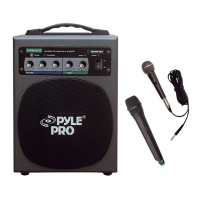
Pyle Pro PWMA600 - Setup Guidelines for Amplifier Use; Setting Up with a Wireless Microphone; Using a Wired Microphone; Connecting Auxiliary Audio Sources

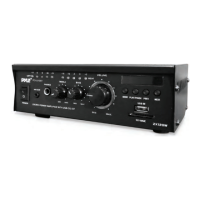
Pyle Pro PWMA600
5 pages
Print Icon
To Next Page IconTo Next Page
To Previous Page IconTo Previous Page
Loading...
SET
UP
GUIDELINES
Setting
up
for
use
with
a
wireless
microphone
Since
this
system
features
a
rechargeable
battery
for
power,
you
will
never
need
to
plug
in
before
use,
except
when
the
battery
requires
recharging.
Follow
these
instructions
when
setting
up.
1.
Before
turning
on
power,
turn
all
volume
controls
to
the
"O”
position.
2.
Check
that
the
flexible
rubber
antenna
provided
is
attached
to
the
BNC
connector
on
the
rear
panel
(front
panel
of
PWMA-3600).
For
best
results,
start
with
the
antenna
pointing
up.
3.
Turn
the
wireless
microphone
ON.
The
Power
LED
on
the
mic
will
be
illuminated.
4.
Push
the
power
switch
on
the
front
panel
of
the
amplifier
to
the
ON
position.
The
Power
LED
on
the
amplifier
will
be
illuminated.
When
the
receiver
in
the
amplifier
is
receiving
signal
from
the
mic,
the
"On
Air”
LED
on
the
amplifier
will
be
illuminated.
If
this
does
not
occur,
it
is
possible
that
the
batteries
need
replacing
in
the
mic.
5.
Move
the
microphone
to
the
location
that
speaking
will
occur,
and
have
an
assistant
increase
the
amplifier's
wireless
mic
volume
control
as
the
situation
demands.
6.
Adjust
the
bass
and
treble
controls
as
needed.
Using
the
amplifier
with
a
wired
microphone
Follow
set
up
guidelines
above
,
except
plug
the
wired
microphone
into
the
wired
mic
input
jack.
These
amplifiers
feature
combo
mic
input
jacks
which
can
accept
either
XLR-
type
or
1
/A'
input
jacks.
The
PWMA-3600
feature
two
such
connectors.
In
the
case
of
the
PWMA-3600
they
are
located
on
the
front
left
panel.
The
PWMA-600
has
a
single
combo
jack
located
on
the
real
panel.
Adjust
the
microphone
volume(s)
with
the
wired
microphone
volume
control(s).
Please
note
that
you
can
adjust
the
level
of
the
wired
mics
separately
from
the
wireless
mic,
giving
you
a
great
deal
of
performance
flexibility.
Using
the
amplifier
with
an
auxiliary
input
source
You
can
use
these
systems
to
amplify
audio
signals
from
any
high
level
source
such
as
tape
players,
CD
players,
VCR
audio
outputs,
etc.
(An
audio
product
which
has
a
volume
control
is
usually
a
high
level
audio
source.)
Use
RCA-type
patch
cords
to
connect
the
audio
outputs
from
the
audio
source
to
the
RCA
input
jacks
on
the
rear
of
the
PWMA-600,or
the
left
front
panel
of
the
PWMA-3600.
Please
note
that
you
can
adjust
the
auxiliary
volume
independent
of
the
two
microphones,
which
opens
up
a
range
of
performance
opportunities.
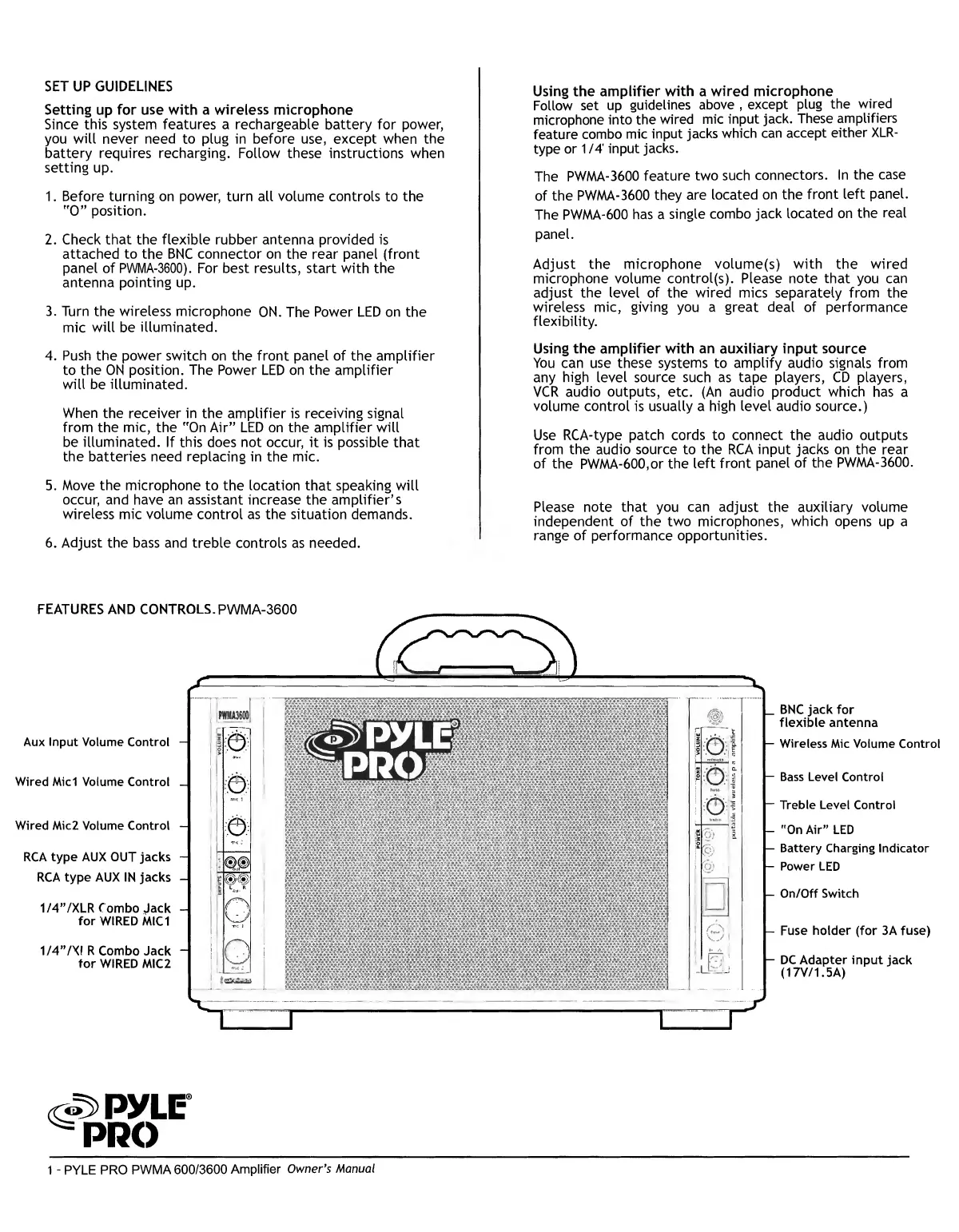
FEATURES
AND
CONTROLS.
PWMA-3600
Aux
Input
Volume
Control
Wired
Micl
Volume
Control
Wired
Mic2
Volume
Control
RCA
type
AUX
OUT
jacks
RCA
type
AUX
IN
jacks
1/4”/XLR
Combo
Jack
for
WIRED
MIC
1
1/4”/X!R
Combo
Jack
for
WIRED
MIC2
|_
BNC
jack
for
flexible
antenna
Wireless
Mic
Volume
Control
Bass
Level
Control
Treble
Level
Control
"On
Air”
LED
|—
Battery
Charging
Indicator
Power
LED
-
On/Off
Switch
-
Fuse
holder
(for
3A
fuse)
-
DC
Adapter
input
jack
(17V/1.5A)
«S>pyLF
=
PRO
1
-
PYLE
PRO
PWMA
600/3600
Amplifier
Owner's
Manual

Related product manuals