8
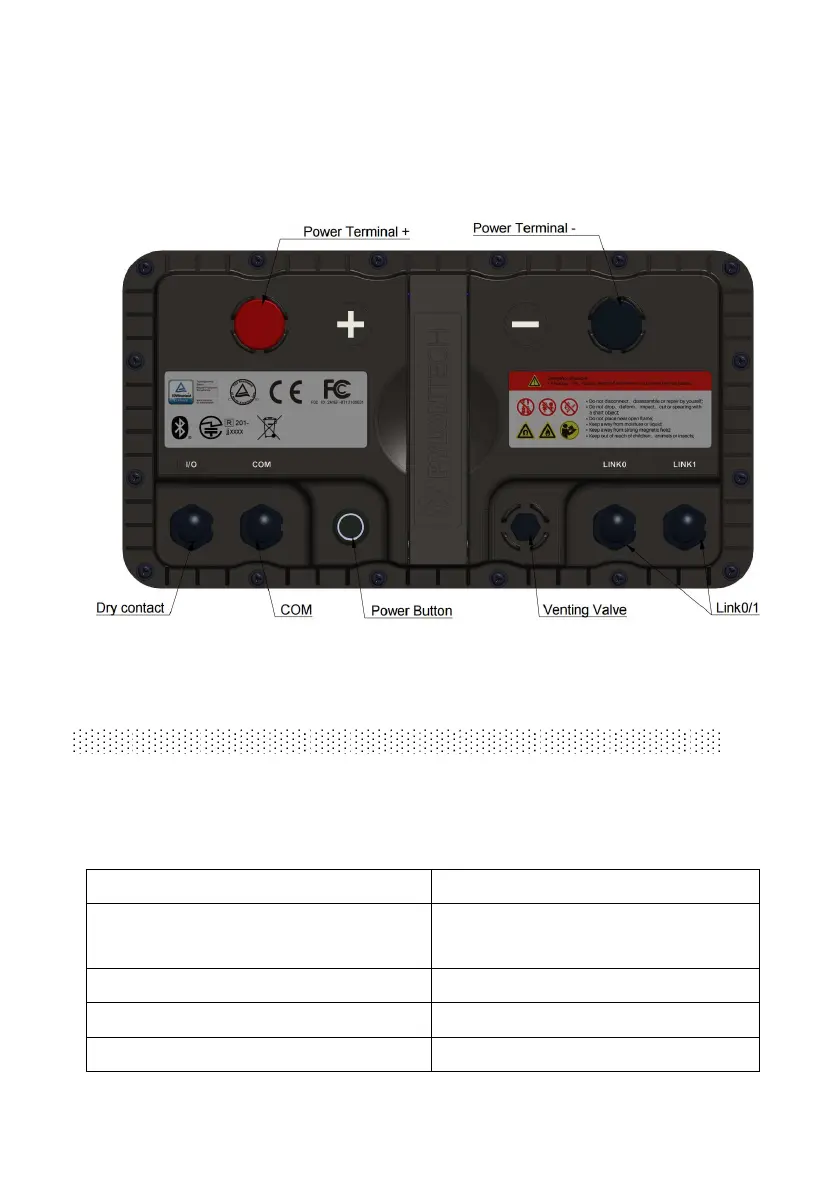
3.3 Panel
RT12100G31 Panel Description
3.4 Equipment interface instruction
Power Button
Power button pressed: ready to turn on.
Power button pops back: power off. For storage or shipping.
LED Status Indicators:
Flash 1, OFF 1.5S, on 0.5s
Waiting for Addressing or
Communication time out
Flash 3,OFF 0.5s on 1.5s,
Sleep/Power off/System error


 To Next Page