AUTO TOTALING TIME CLOCK INSTRUCTIONS
Model 4000Pro/5000
+
/5000
+
HD
AUTO TOTALING TIME CLOCK
:
FEATURES SET UP
FEATURE
(SELECT)
DISPLAY
DEFAULT SETTING
OPTIONS (SCROLL st)
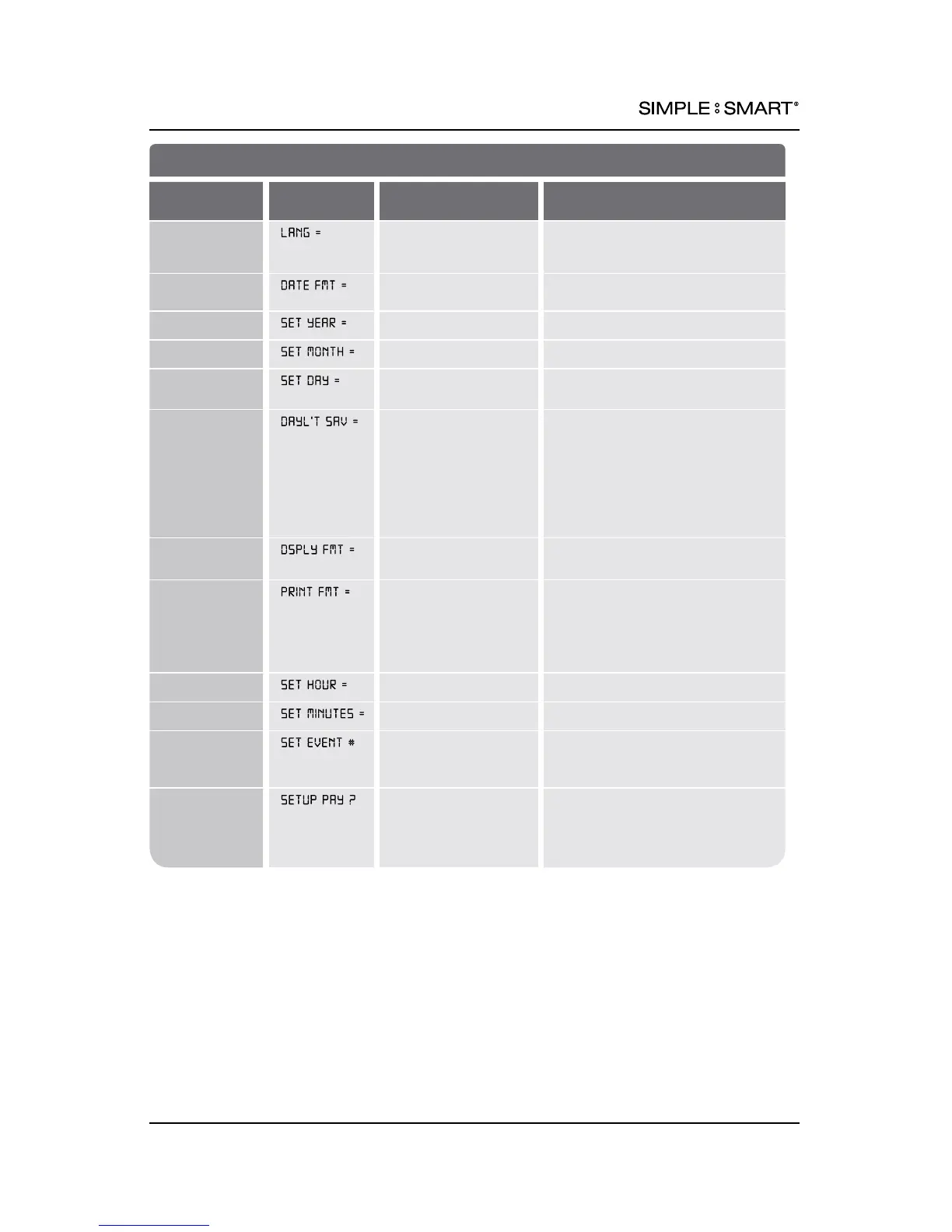
Set Language
ENGLISH ENGLISH,
French (FRANCAIS),
Spanish (ESPANOL)
Set Date
Format
USA USA: MM/DD/YR, EURO: DD/MM/YR
Set Year
2012 DISPLAYED YEAR +/- 1 Year
Set Month JAN DISPLAYED MONTH +/- 1 Month
Set Date 1 DISPLAYED DATE +/- 1 Day
Set Daylight
Savings Time
(DST) Rule
USA USA: USA DST: Begins 2nd
SUN of MAR, Ends 1st SUN of NOV
EURO: European DST: Begins Last
SUN of MAR, Ends Last Sun of OCT
OTHER: Set a custom DST Rule
See Set DST Rule
OFF: No adjustment for DST.
Set Format
AM/PM AM/PM: 12 Hour,
MIL: Military, 24 Hour
Set Printed
Time Format
AM/PM AM/PM: 12 Hour (e.g. 3:30PM)
MIL: Military, 24 Hour (e.g. 15:30)
ATAAP: Military, 24 Hour, Minutes
expressed in hundreths of one hour
(e.g. 15.50)
Set Hour
12AM DISPLAYED HOUR +/- 1 Hour
Set Minutes 00 DISPLAYED MINUTE +/- 1 Minute
Schedule an
Event (e.g.
ring bells)
NO NO: No event(s) scheduled.
YES: Schedule event(s) SET EVENT
#1-50 (see pages 10&11)
Setup Pay
Period Options
NO NO: No pay period options
congured.
YES: Setup pay period options
(see pages 6-8)
5pyramidtimesystems.com PROGRAMMING



 To Next Page