AUTO TOTALING TIME CLOCK INSTRUCTIONS
Model 4000Pro/5000
+
/5000
+
HD
MENU
:
SETUP PAY?
st
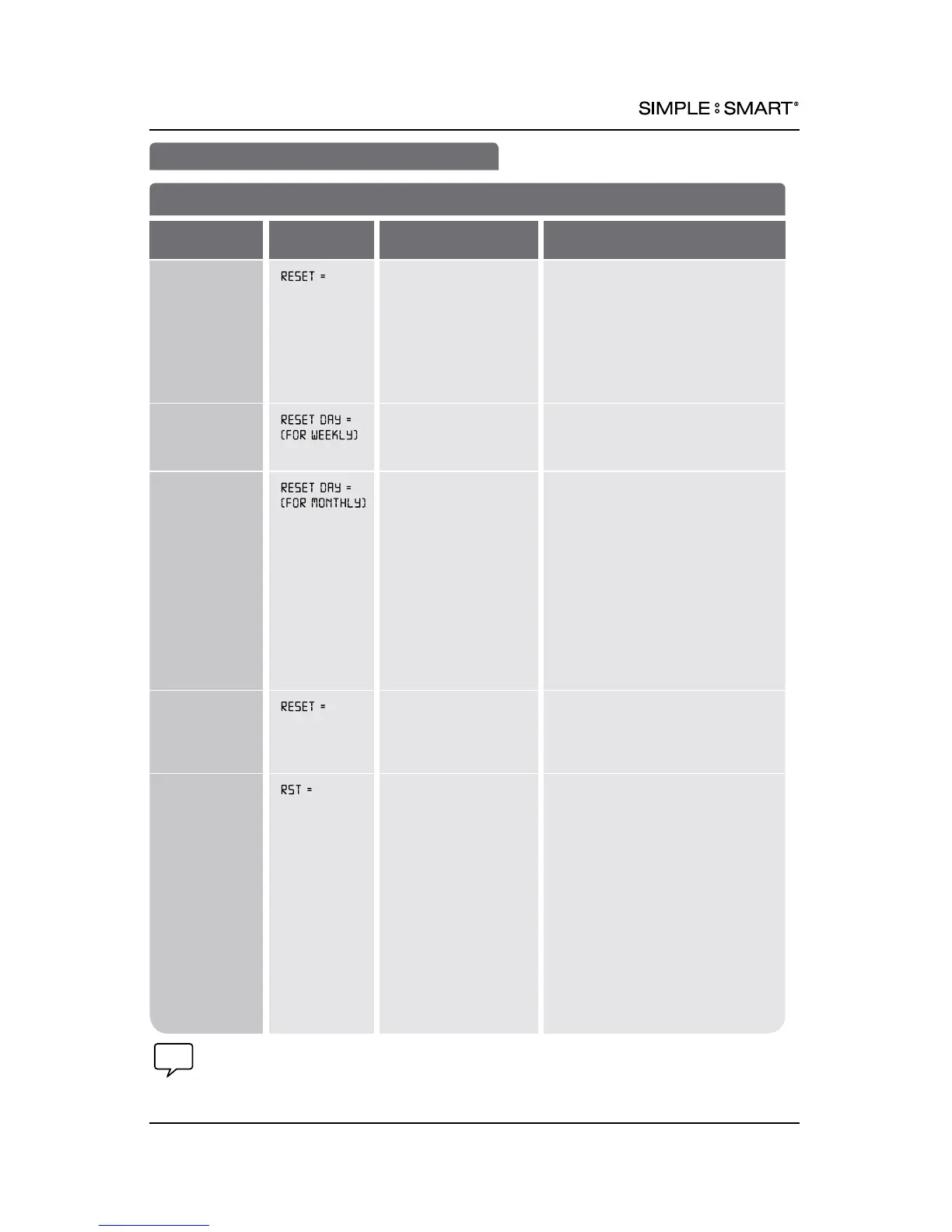
Set How Time Clock Calculates Totals
FEATURE
(SELECT)
DISPLAY
DEFAULT SETTING
OPTIONS (SCROLL st)
Set pay period
duration
WEEKLY WEEKLY: Administer weekly payroll
MONTHLY: Administer monthly
payroll
EVERY 2 WEEKS: Administer payroll
every other week on same day of
week
SEMI-MONTHLY: Administer payroll
on two selected days during month
Select Last Day
of Pay Period
or Reset Day
1
(WEEKLY)
SUN SUN, MON, TUE, WED, THU, FRI,
SAT: the day pay period ends
Select Last Day
of Pay Period
or Reset Day
1
(MONTHLY)
1st 1st: Resets rst day of month
LAST: Resets last day of month
LAST-1: Resets one day before
last day of month
LAST-2: Resets two days before
last day of month
LAST-3: Resets three days before
last day of month
LAST-4: Resets four days before
last day of month
LAST-5: Resets ve days before
last day of month
Select last date
of pay period
or reset date
(EVERY 2
WEEKS)
DAY MONTH DATE Select 1st-14th of given month
NOTE: Clock will reset every two
weeks from chosen date
Select last day
of period or
reset days
(SEMI-
MONTHLY)
15th & LAST 15th & LAST: Resets 15th and last
day of month
14th & LAST-1: Resets 14th and
one day before last day of month
13th & LAST-2: Resets 13th and
two days before last day of month
12th & LAST-3: Resets 12th and
three days before last day of month
11th & LAST-4: Resets 11th and
four days before last day of month
10th & LAST-5: Resets 10th and
ve days before last day of month
16th & 1st: Resets 16th and
rst days of month
(continued on next page)
SET UP PAY (cont.)
1
Reset Day & Time is desired day & time for new pay period. Employee begins new time
card on this day.
7pyramidtimesystems.com SET UP PAY



 To Next Page