9
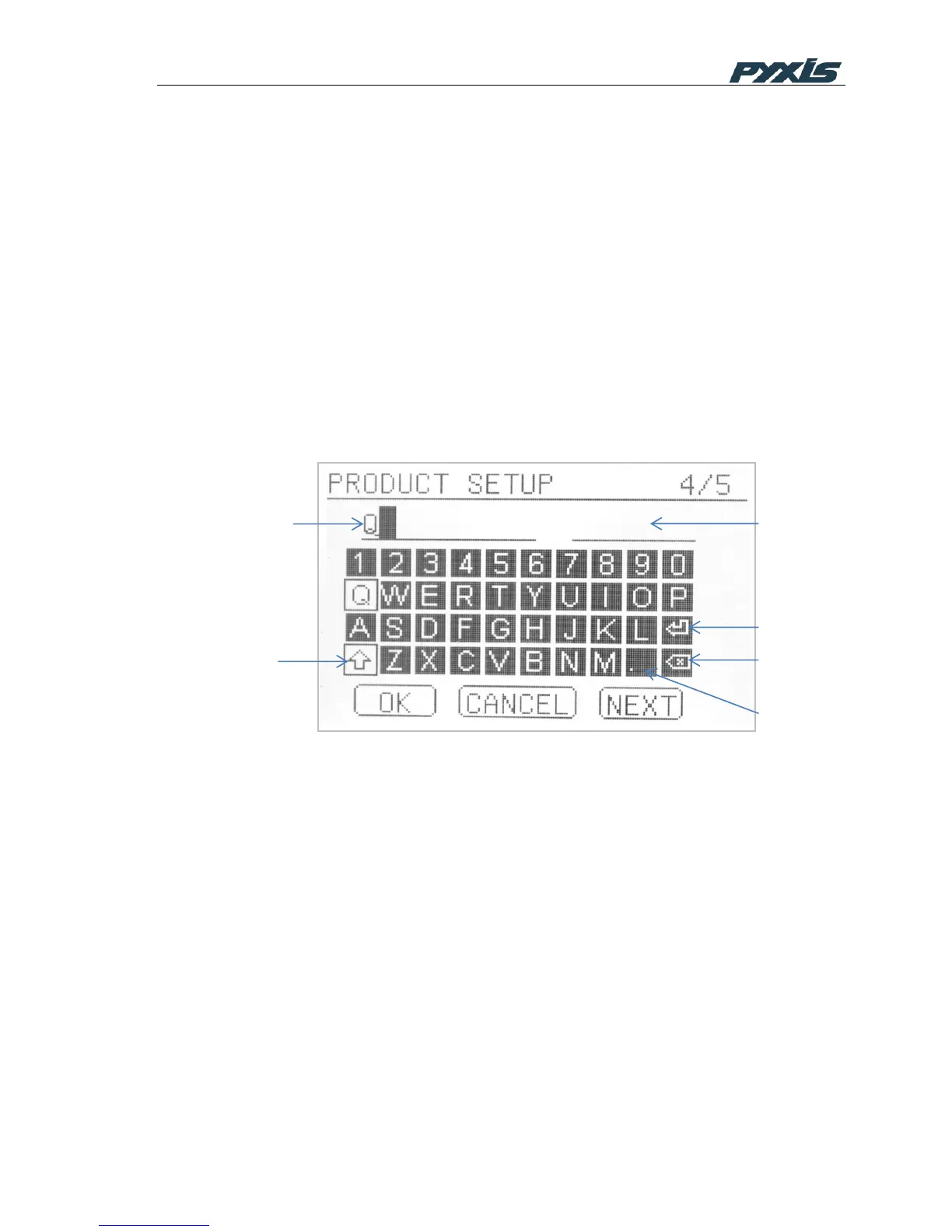
The PTSA product setup page (Figure 7) is displayed when the SETUP button in the
PTSA result page is pressed. In this page, five product names and the corresponding
conversion factors can be input. The conversion factor is determined according to the
PTSA concentration in the products. For example, if the product contains 0.1% PTSA
and you want to display the product concentration in ppm or mg/L, the conversion
factor is 1000. If the product contains 0.05% PTSA, the conversion factor is 500.
When the product setup page is launched, a cursor bar is at the first location of the
product name input field. Pressing the OK key moves the cursor to the keyboard. A
number or a letter can be highlighted using the navigational keys. Press the
highlighted letter or number to select and place it in the input field (Figure 7).
If the uppercase key is highlighted, the letter selected will be shown as uppercase in
the input field, as shown in Figure 7. In the uppercase mode, selecting the decimal
place key (the dot) will place a space in the product name field.
Figure 6 Setup Product
A total of 10 characters can be input to the product name input field. When a product
name input is completed, press the enter key in the keyboard first and then RIGHT
navigational key to move the cursor to the first location of the conversion factor input field
on the right. Press the OK key and the cursor will be moved to the keyboard. Use the
navigation keys to select a number. When finishing inputting the conversion factor, press
the OK key. The cursor will be then moved to the buttons shown in the bottom of the page.
A letter or a number in the input fields can be deleted using the BACKSPACE key.
Press the NEXT button to launch a new product name input page. SP-900 will store up to
5 user defined product names.
3.3 PTSA calibration



 To Next Page