17
5.3. Bluetooth
®
• ON time is determined by the AVRCP response time of your Bluetooth
®
device; once your device is
connected, and you press Play it can take between 1-5s.
• OFF time is determined by the AVRCP response time of your Bluetooth
®
device. Once you turn
Bluetooth
®
off, or disconnect your device it can take between 1-3s.
5.4. Line In 1 / 2
• ON time is determined by the audio signal level; when the signal level is audible it can take between
1-3s.
• OFF time is determined by the audio signal level; when the signal level is not audible it will take 20
minutes.
Please Note: If the user places the Unit in STANDBY while a source is still playing, the AUTO ON function
will be disabled until the source is stopped. This will prevent the Unit from unwanted AUTO ON.
For Line In 1/2 the signal must be at a not audible level for 20 minutes before the Unit AUTO ON will
function.
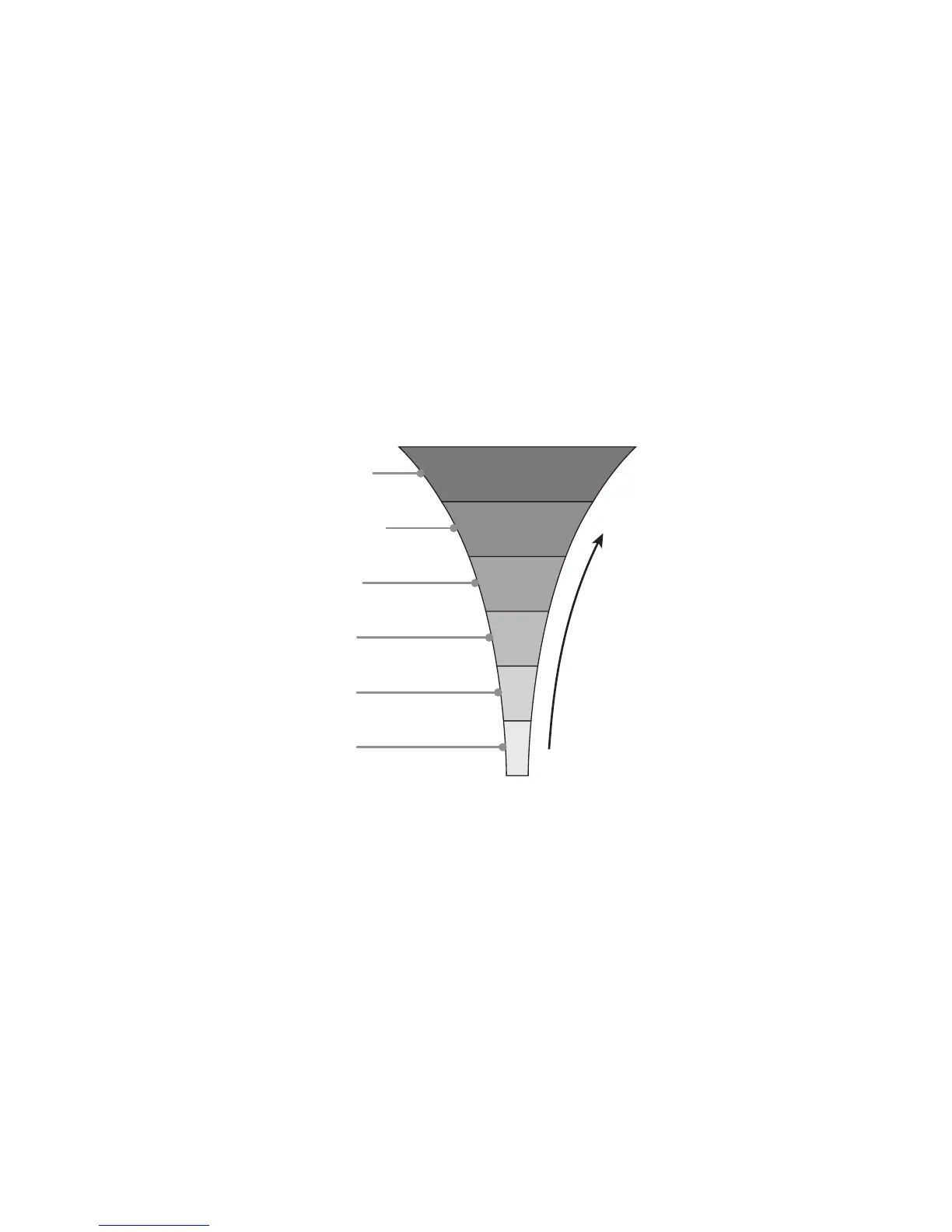
6. Auto source select
Optical input
HDMI
™
ARC
Bluetooth
®
Line in 1
Line in 2
Standby
INPUT
PRIORITY
The IPA
™
follows a priority list for connected audio sources. A connected HDMI
™
source that starts to play
has the highest priority, followed by Optical, then Bluetooth
®
and finally Analogue 1 and 2:
Important Note: The IPA
™
can be overridden at any time by a simple manual SOURCE SELECTION from
the user. Simply press the SOURCE SELECT button on the remote, or a short press of the STANDBY
Button on the Unit.
The IPA
™
will reactivate once the Unit has been put into STANDBY.
7. Low source gain (LSG
™
)
During our extensive testing we found that on a number of manufacturer’s equipment the digital signal
output level is lower than the expected Full Scale (FS). To allow our users to get the best audio experience
from the Q Acoustics Unit we have included a LSG
™
switch.
The LSG
™
switch can be found on the Rear Panel, and has two settings.
1 = Normal gain
2 = Increased 6dB of gain for Optical and HDMI
™
sources


 To Next Page