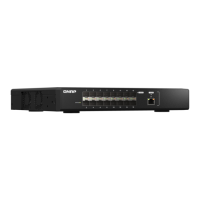
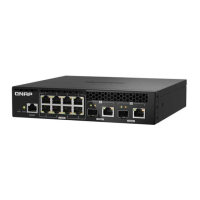
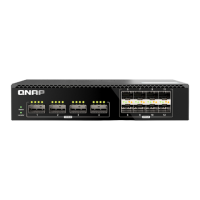
Front Panel Ports
Reset button 10GbE SFP+ ports
RJ45 Management port RJ45 Console port
10GbE RJ45 ports
Default username : admin
Default password : The default password is the first MAC address in uppercase letters without special
characters. For example, if the first MAC address is 00-08-9B
-
F6-15-75, then the admin password would
be 00089BF61575.
Accessing the Web User Interface
Logging into the Web User Interface
EN
B D
CA
MGMT
Console
Rst
Status
Locator
1 3
2 4
9 11
10 12
13 15
14 16
SFP+
SFP+
10GbE
10GbE
B D
CA
B D
CA
1 3
2
MGMT
Console
Rst
Status
Locator
4
5 7
6 8
9 11
10 12
13 15
14 16
SFP+
SFP+
10GbE
10GbE
5431 2
B D
CA
MGMT
Console
Rst
Status
Locator
1 3
2 4
9 11
10 12
13 15
14 16
SFP+
SFP+
10GbE
10GbE
B D
CA
B D
CA
1 3
2
MGMT
Console
Rst
Status
Locator
4
5 7
6 8
9 11
10 12
13 15
14 16
SFP+
SFP+
10GbE
10GbE
5431 2
Hardware Overview
QSW
-
M3212R-8S4T
QSW
-
M3216R-8S8T
By default, the QSW
-
M3216R-8S8T and QSW
-
M3212R-8S4T switch series support DHCP clients. When
connected to a network, the switch automatically obtains an IP address from a DHCP server. You can then
use Qfinder Pro to locate the switch and access QSS.
If the device is unable to connect to a DHCP server to obtain an IP address, you can access the web user
interface by changing the IP address of the computer to 169.254.100.102.
Note : Ensure that you change the IP address of the computer to its previous setting after configuring the switch.
The default IP address of the switch is 169.254.100.101.



 To Next Page
 Loading...