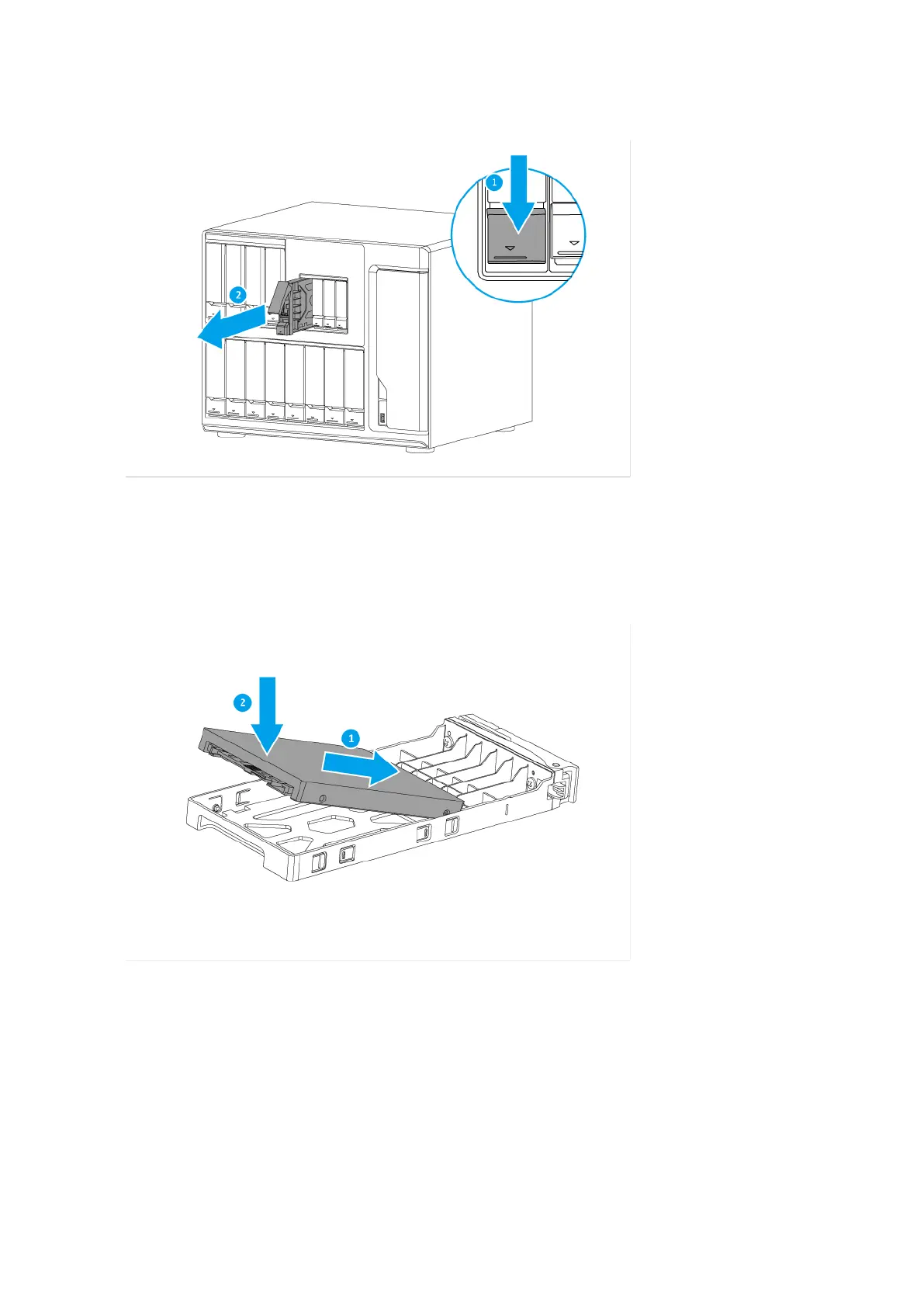
3. Install a drive on the tray.
a. Align the SATA connector on the drive with the opening at the end of the tray.
b. Place the drive on the tray.
4. Load the tray into the bay.
a. Slide the tray into the drive bay.
b. Push the handle.
c. Slide the lock up.
TS-1635AX User Guide
Installation and Configuration 18

 To Next Page
 Loading...