41
performed). Note that applications start only after the system finishes booting
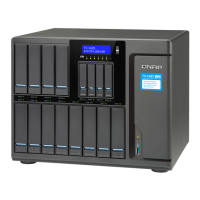
For TS-1685, the LCD panel displays additional booting information after you power on the
NAS:
• BIOS XXXXXX – XXXXXX is the BIOS version, which can be used for technical
support to help identify and resolve issues.
• Startup phases:
o Checking Memory – The system checks the installed memory.
o Powering up all disks – Power up all disks sequentially.
o Hardware initialization – Initialize additional hardware components, such as
PCIe SSD, Graphic card, Thunderbolt adapter, etc.
o Booting - Boot from the DOM. If the startup stops at this step, the DOM may
be defective. Please seek technical support.
o Starting System – Starting QTS. If the startup stops at this step, the QTS
installation may have encountered problems. Please seek technical support.
• The remaining startup phases are the same as those of other NAS models


 To Next Page
 Loading...