54
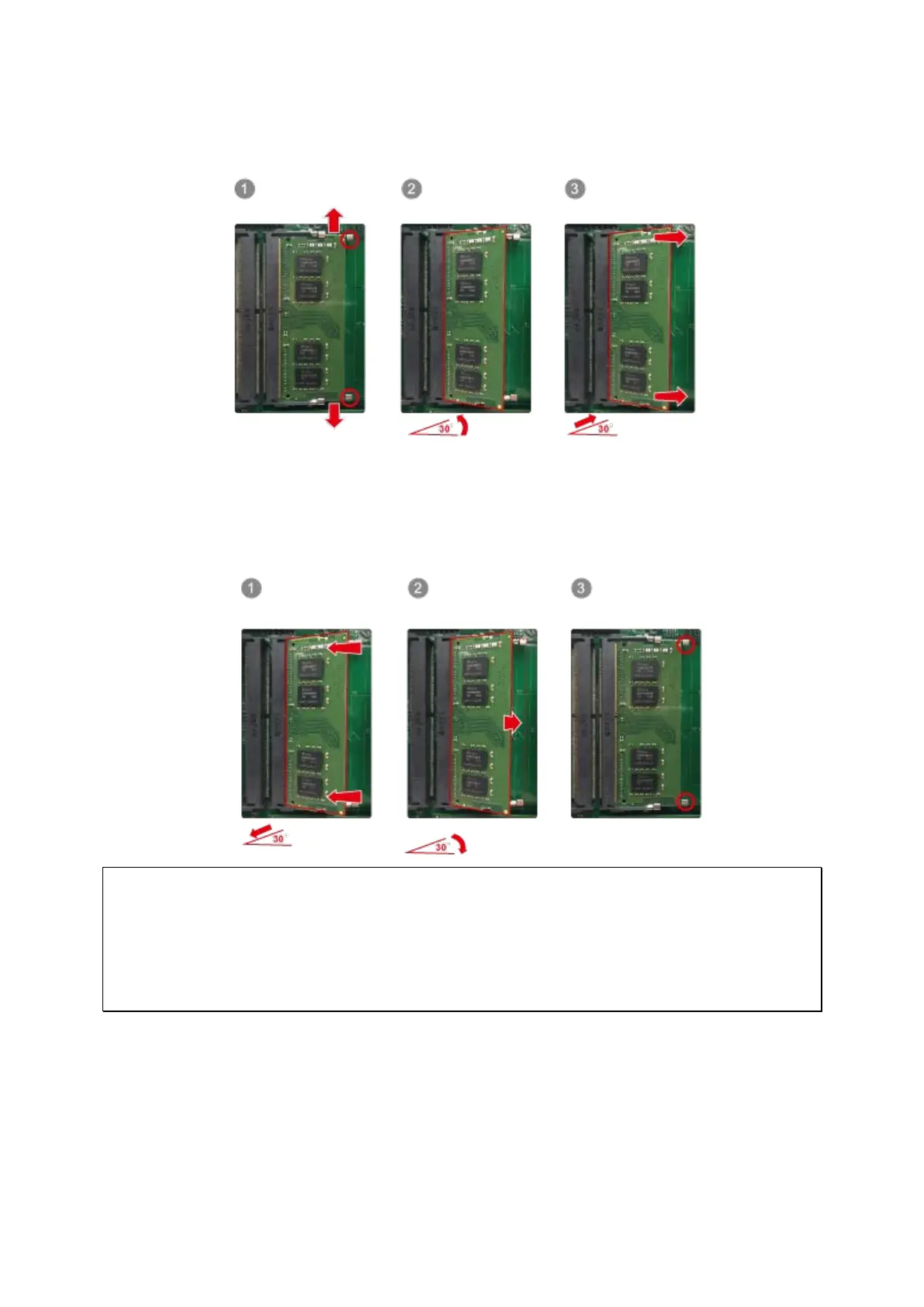
3. To remove installed memory modules, gently pull the retention clips outwards on each
side so that the module tilts up at a 30-degree angle for easy removal. Remove module.
4. Hold the memory module by grasping its edges. Align the notch on the RAM module
with the ridge in the memory socket. Slide the memory module into the socket at a
30-degree angle. Ensure that the module is firmly inserted into the socket and that
the retention clamps are secure.
Note: The maximum supported memory is 64GB.
For one SODIMM module, insert memory into slot A2 or B2.
For two SODIMM modules using dual channel, insert memory into A1 and A2, B1 and B2,
or A2 and B2.
For three SODIMM modules, insert memory into A1 and A2 and B2 or B1 and B2 and A2.



 To Next Page
 Loading...


