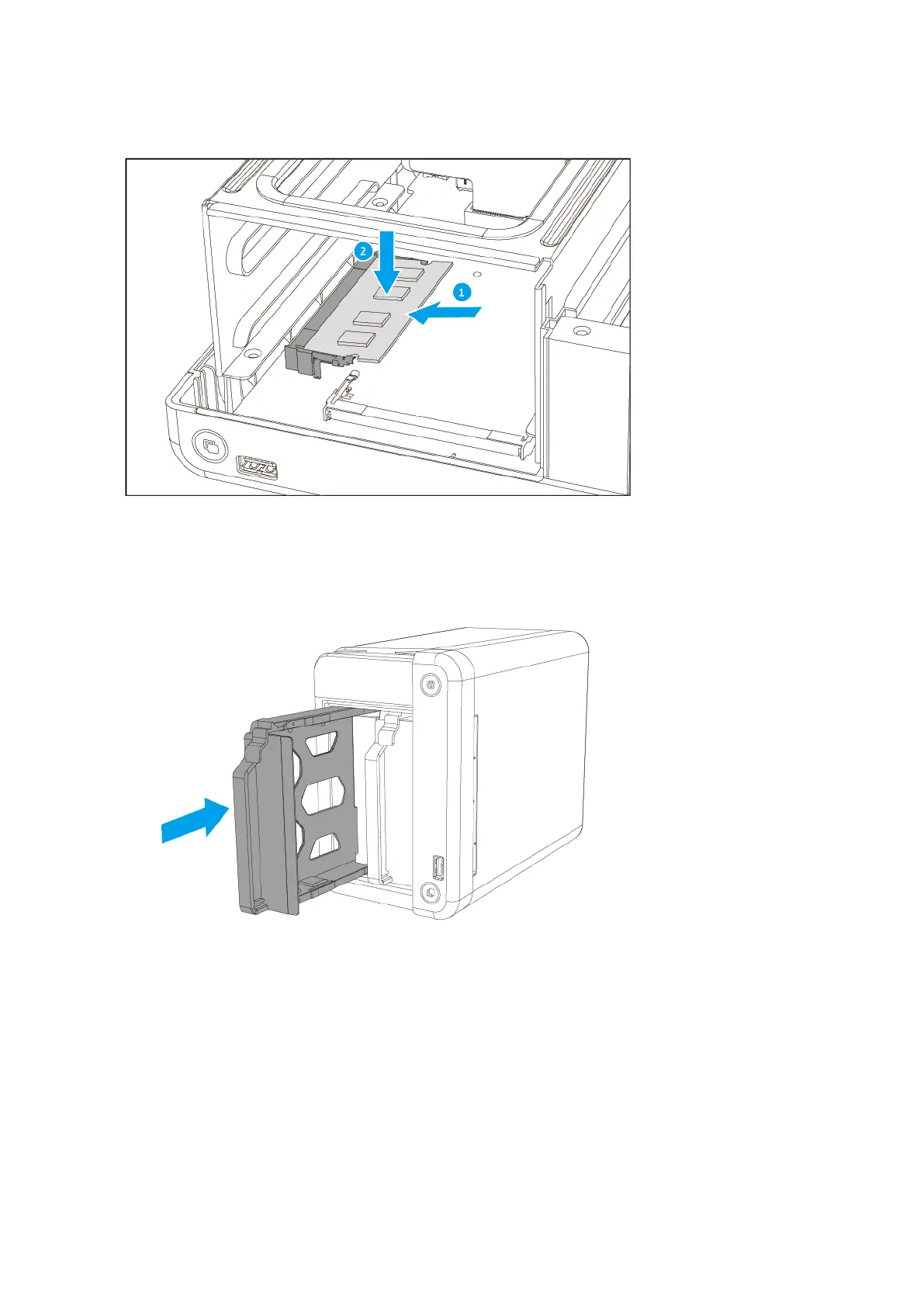
d. Carefully press down on the module until the retention clips lock the module into place.
10. Place the NAS in its normal upright position.
11. Load drive trays back into the NAS.
12. Attach the front cover.
a. Align the cover with the grooves on the case.
b. Slide the cover to the right.
TS-251D User Guide
Installation and Configuration 30


 To Next Page
 Loading...