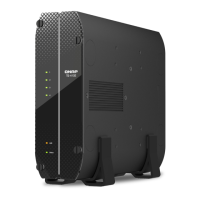
| Chassis type | Tower |
|---|
| Cooling type | Active |
|---|
| Fan diameter | 120 mm |
|---|
| Product color | White |
|---|
| LED indicators | Yes |
|---|
| Number of fans | 1 fan(s) |
|---|
| Cable lock slot type | Kensington |
|---|
| Storage temperature (T-T) | -20 - 70 °C |
|---|
| Operating temperature (T-T) | 0 - 40 °C |
|---|
| Operating relative humidity (H-H) | 5 - 95 % |
|---|
| Type | NAS |
|---|
| Device class | Home & Home Office |
|---|
| Backup features | Cloud, iSCSI LUN |
|---|
| Browser supported | Apple Safari, Google Chrome, Microsoft Edge, Mozilla Firefox |
|---|
| RAID levels | 0, 1, 5, 6, 10, JBOD |
|---|
| Storage drive capacity | 0 GB |
|---|
| Storage drive interface | - |
|---|
| Storage drives installed | No |
|---|
| Number of M.2 (M & B) slots | 2 |
|---|
| Storage drive sizes supported | 3.5, M.2, 2.5 \ |
|---|
| Supported storage drive types | HDD & SSD |
|---|
| Total installed storage capacity | 0 TB |
|---|
| Number of storage drives installed | 0 |
|---|
| Number of storage drives supported | 4 |
|---|
| Supported storage drive interfaces | Serial ATA III |
|---|
| Operating system version | 5.0.1 |
|---|
| Operating system installed | QNAP QTS |
|---|
| Mac operating systems supported | Mac OS X 10.10 Yosemite, Mac OS X 10.12 Sierra, Mac OS X 10.13 High Sierra, Mac OS X 10.14 Mojave, Mac OS X 10.15 Catalina, Mac OS X 10.15.3 Catalina, Mac OS X 11.0 Big Sur, Mac OS X 12.0 Monterey |
|---|
| Server operating systems supported | Windows Server 2008 R2, Windows Server 2012, Windows Server 2012 R2, Windows Server 2016, Windows Server 2019 |
|---|
| Windows operating systems supported | Windows 10, Windows 11, Windows 7, Windows 8 |
|---|
| Processor model | N4505 |
|---|
| Processor family | Intel® Celeron® |
|---|
| Processor frequency | 2 GHz |
|---|
| Processor manufacturer | Intel |
|---|
| Processor boost frequency | 2.9 GHz |
|---|
| On-board graphics card model | Intel® UHD Graphics |
|---|
| Number of processors supported | 1 |
|---|
| Flash memory | 4096 MB |
|---|
| Internal memory | 2 GB |
|---|
| Memory form factor | SO-DIMM |
|---|
| Internal memory type | DDR4 |
|---|
| Maximum RAM supported | 16 GB |
|---|
| Ethernet LAN data rates | 10, 100, 1000, 2500 Mbit/s |
|---|
| Fan voltage | 12 V |
|---|
| AC input voltage | 100 - 240 V |
|---|
| Power supply location | Built-in |
|---|
| Power consumption (sleep) | 11.3 W |
|---|
| Power consumption (typical) | 25.98 W |
|---|
| Power supply unit (PSU) capacity | 90 W |
|---|
| USB 2.0 ports quantity | USB 2.0 ports have a data transmission speed of 480 Mbps, and are backwards compatible with USB 1.1 ports. You can connect all kinds of peripheral devices to them. |
|---|



 To Next Page

 General
 Weight and Dimensions