EasyManua.ls Logo

QNAP TS-462 - User Manual

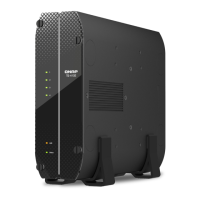
QNAP TS-462
79 pages
Print Icon
To Next Page IconTo Next Page
Loading...
TS-x62, TS-x64
TS-262
TS-462
TS-264
TS-464
TS-664
User Guide
Document Version: 3
25/08/2022

Questions and Answers

QNAP TS-462 Specifications

General IconGeneral
GPUIntel UHD Graphics
Maximum Memory16 GB (2 x 8 GB)
Flash Memory4 GB (Dual boot OS protection)
Hot-swappableYes
M.2 Slots2 x M.2 2280 PCIe Gen3 x1
SSD Cache Acceleration SupportYes
HDMI Output1 x HDMI 2.0
Form FactorTower
Kensington Security SlotYes
CPUIntel Celeron N4505
CPU Architecturex86 64-bit
System Memory4 GB DDR4 (non-ECC)
Memory Slot2 x SODIMM DDR4
Drive Bays4 x 3.5-inch SATA 6Gb/s
Drive Compatibility3.5-inch SATA hard disk drives, 2.5-inch SATA hard disk drives, 2.5-inch SATA solid state drives
LAN Ports2 x 2.5GbE RJ45
LED IndicatorsStatus, LAN, USB, HDD1-4
ButtonsPower, Reset
Dimensions168 x 170 x 226 mm
Operating Temperature0°C to 40°C (32°F to 104°F)
Relative Humidity5-95% RH non-condensing
Power Supply Unit65W adapter, 100-240V
Fan1 x 120mm
Operating SystemQTS
USB Ports2 x USB 3.2 Gen 2 (Type-A)

Summary

Product Overview

Safety Information

Provides essential safety instructions for operating and handling the NAS device.

Installation and Configuration

Hardware Installation

Guides through the physical installation of hardware components for the NAS.

Drive Installation

Provides instructions for installing 2.5-inch and 3.5-inch drives into the NAS.

Installing 2.5-inch Drives on 3.5-inch Trays

Step-by-step guide for installing 2.5-inch drives into 3.5-inch drive trays.

Installing 3.5-inch Hard Drives on 3.5-inch Trays

Step-by-step guide for installing 3.5-inch hard drives into the NAS.

Installing M.2 Solid-State Drives

Guides users through the process of installing M.2 SSDs into the NAS.

Replacing Memory Modules (TS-462, TS-464, TS-664)

Instructions for upgrading or replacing memory modules in specific NAS models.

QTS Installation

Outlines different methods for installing the QTS operating system on the NAS.

Qfinder Pro installation (Recommended)

Guide to installing QTS using the Qfinder Pro utility.

Cloud installation

Instructions for installing QTS using the internet and a Cloud Key.

Local installation

Guide for installing QTS using an HDMI connection and local hardware.

Installing QTS Using the Cloud Key

Step-by-step guide for installing QTS via the cloud using a mobile device or web portal.

Installing QTS Using an HDMI Connection

Instructions for installing QTS using an HDMI display, keyboard, and mouse.

Basic Operations

NAS Migration

Troubleshooting

Hot-swapping Failed Drives

Explains the process of replacing a failed drive while the NAS is running.

Recovering Unintentionally Removed Hard Drives

Details how to recover RAID groups after accidental drive removal.

Related product manuals