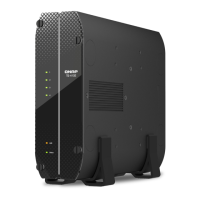
LED Status Description
Multi-Gigabit
activity
Orange A network connection has been established.
Flashes orange The device is being accessed on this network.
O There is no network connection.
USB One Touch
Copy
Flashes blue every 0.5
seconds
• A USB device connected to the USB One Touch Copy
port is detected.
• A USB device connected to the front USB port is being
removed from the device.
• A USB device connected to the front USB port is being
accessed.
Blue A USB device is detected in the front USB port.
O No USB device is detected.
Audio Alert
Duration Frequency Description
Short beep (0.5 seconds) 1 • The NAS is starting up.
• When the reset button is pressed for 3 seconds,
the NAS resets congurations.
• When the reset button is pressed for 15 seconds,
the NAS resets congurations and reboots.
• The operating system was updated.
3 • The NAS data cannot be copied to the external
storage device connected to the USB One Touch
Copy port.
Long beep (1.5 seconds) 3 (every 5 minutes) • A system fan is not functioning.
• A fan module has been removed.
2 • A disk volume is about to reach its full capacity.
• A disk volume has reached its full capacity.
• The drives are in degraded mode.
• A drive is rebuilding.
• A drive is plugged in or out.
1 • The NAS was powered o by force shutdown
(hardware shutdown).
• The NAS was powered on successfully and is
ready.
TS-x62, TS-x64 User Guide
Basic Operations 58



 To Next Page
 Loading...