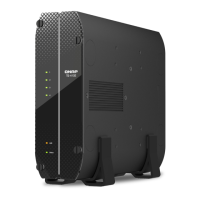
TS-664
Safety Information
The following instructions help ensure personal safety and environmental safety. Read these instructions
carefully before performing any operation.
General Instructions
• The device should be stored in a secure location with restricted access, controlled through the use of a
tool, lock and key, or any means of security.
• Only qualied, skilled, and authorized persons with knowledge of all restrictions, safety precautions,
and installation and maintenance procedures should have physical access to the device.
• To avoid potential injury or damage to components, ensure that the drives and other internal system
components have cooled before touching them.
• Observe electrostatic discharge (ESD) procedures to avoid potential injury or damage to components.
Power
• To reduce the risk of re or electric shock, ensure that you only connect the power cord to a properly
grounded electrical outlet.
• To avoid serious injuries, a trained service technician must disconnect all PSU cords from the device
before installing or replacing system components.
System Battery
• This product contains a button battery.
• If swallowed, a lithium button battery can cause severe or fatal injuries within 2 hours.
• Keep batteries out of reach of children.
• If you think batteries may have been swallowed or placed inside any part of the body, seek immediate
medical attention.
TS-x62, TS-x64 User Guide
Product Overview 15



 To Next Page
 Loading...