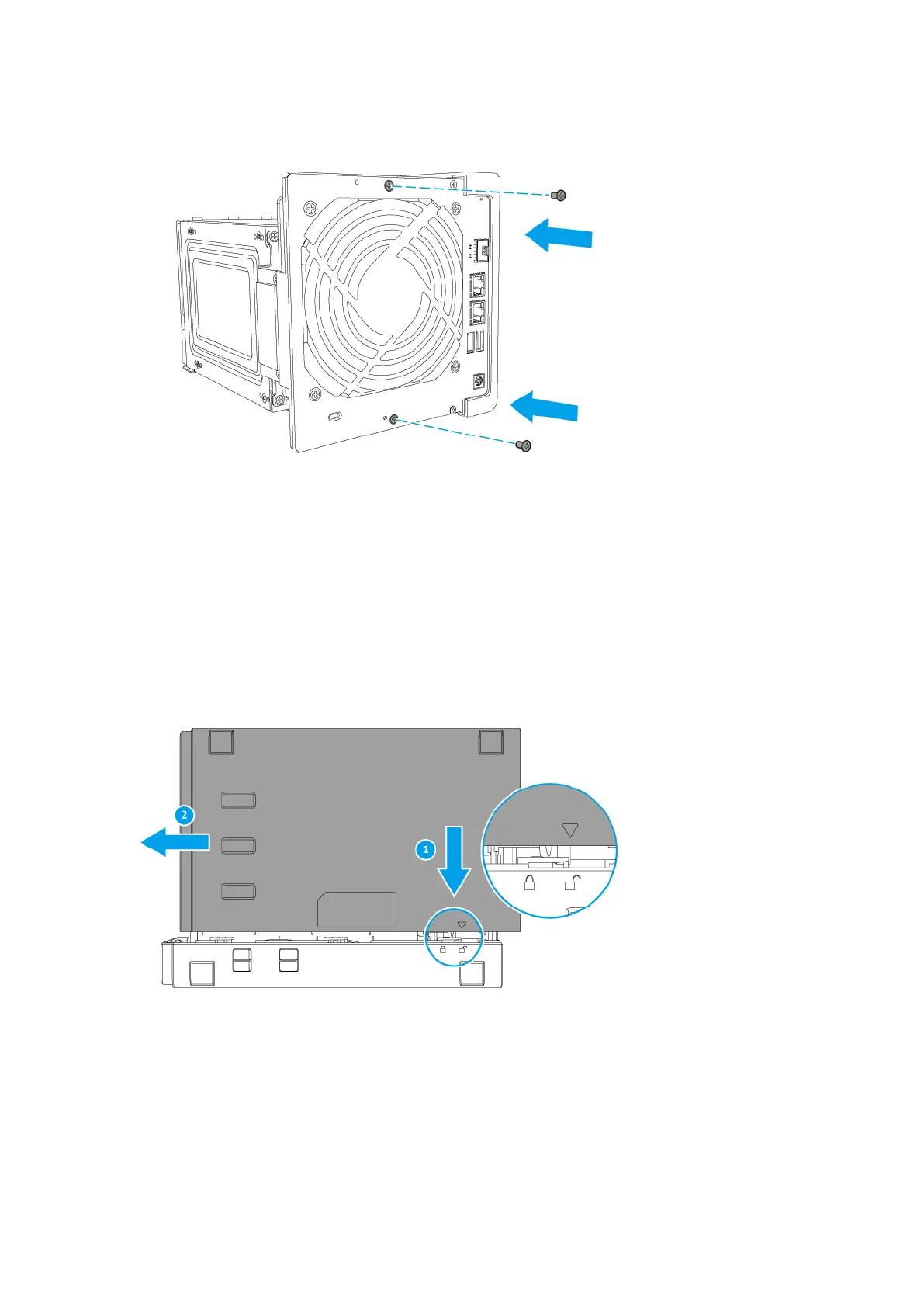
15. Attach the case cover.
a. Place the NAS on its left side.
b. Align the triangle icon on the case cover with the unlock icon on the chassis.
c. Slide the case cover onto the chassis.
d. Slide the case cover to the left so that the triangle aligns with the lock icon.
e. Attach the screws to the back side of the case.
TS-431X User Guide
Installation and Configuration 21



 To Next Page
 Loading...