Note
• QNAP recommends installing heatsinks on the M.2 SSD controllers to enhance cooling
eciency and to ensure consistent performance.
• Before installing non-QNAP heatsinks, ensure that they are of the appropriate size and
shape.
1. Power o the device.
2. Disconnect the power cord from the electrical outlet.
3. Disconnect all cables and external attachments.
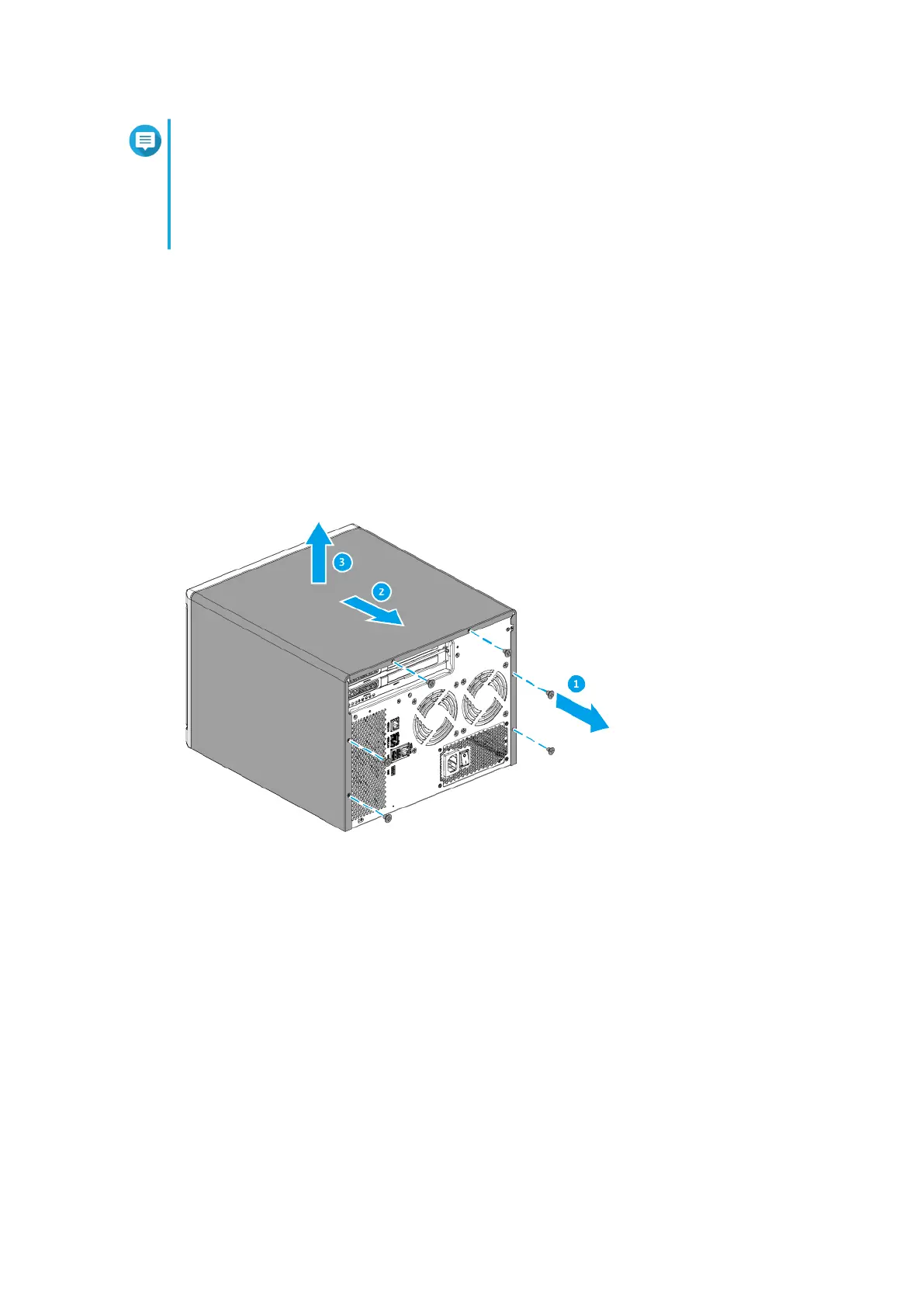
4. Remove the case cover.
a. Loosen the screws.
b. Slide the cover back.
c. Lift the cover o the device.
5. Remove the fan module.
a. Disconnect the fan cable from the system board.
b. Remove the screw that secures the module to the chassis.
c. Press the clip and then pull the module away from the system board.
TS-855X User Guide
Installation and Conguration 23



 To Next Page