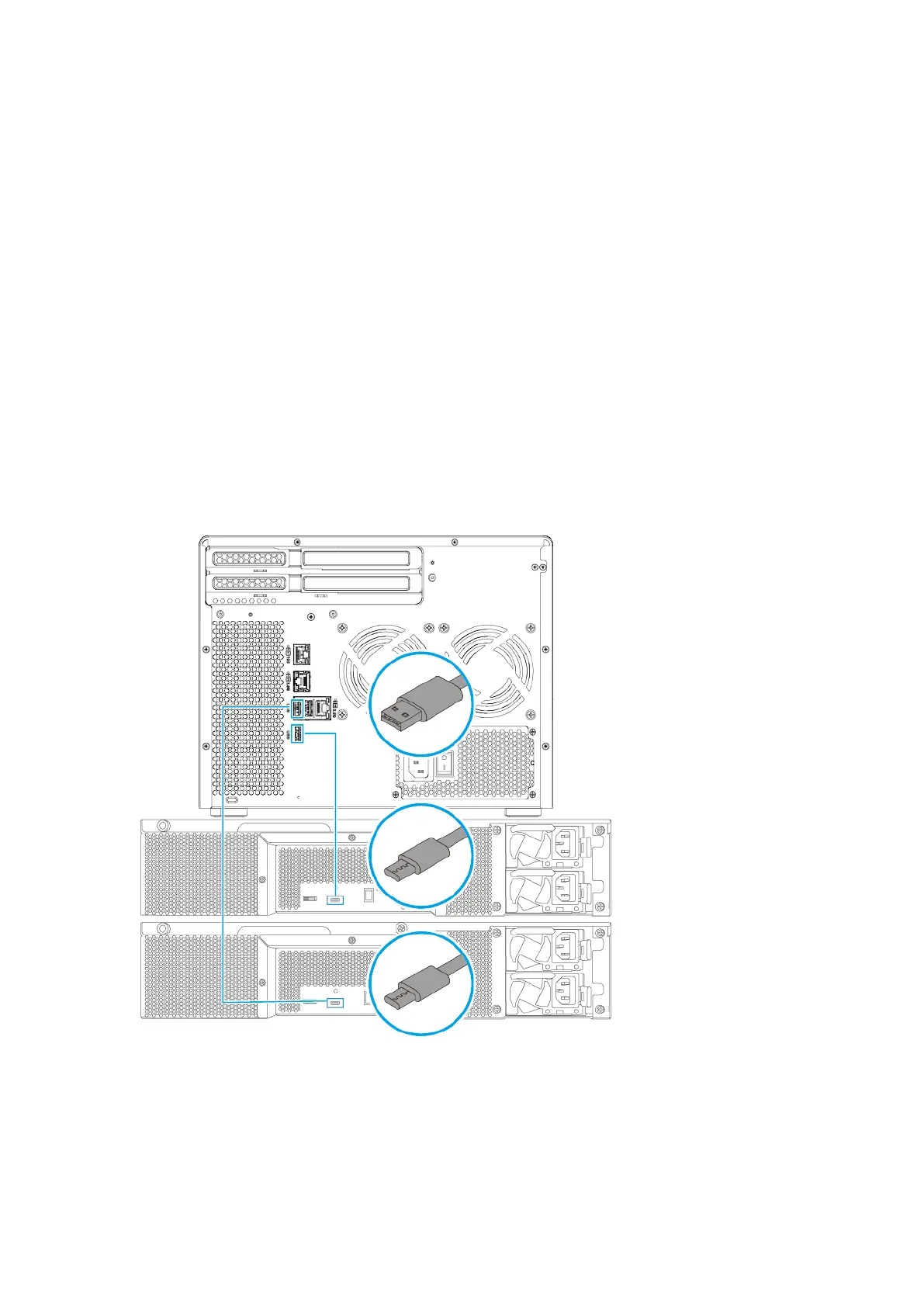
Connecting USB expansion units
The TS-855X series supports a maximum of two USB expansion units and is compatible with the following
models:
• TR-002
• TR-004
• TR-004U
• TL-D800C
• TL-R1200C-RP
1. Connect the expansion unit to the NAS.
a. Connect the USB cable to the USB Type-C port on the expansion unit.
b. Connect the USB cable to a USB 3.2 Gen 1 Type-A port on the NAS.
2. Power on the expansion units.
3. Verify that the expansion units are recognized by the NAS.
a. Log on to QuTS hero as administrator.
TS-855X User Guide
Installation and Conguration 38



 To Next Page