TVS-x73e User Guide
Basic Operations 44
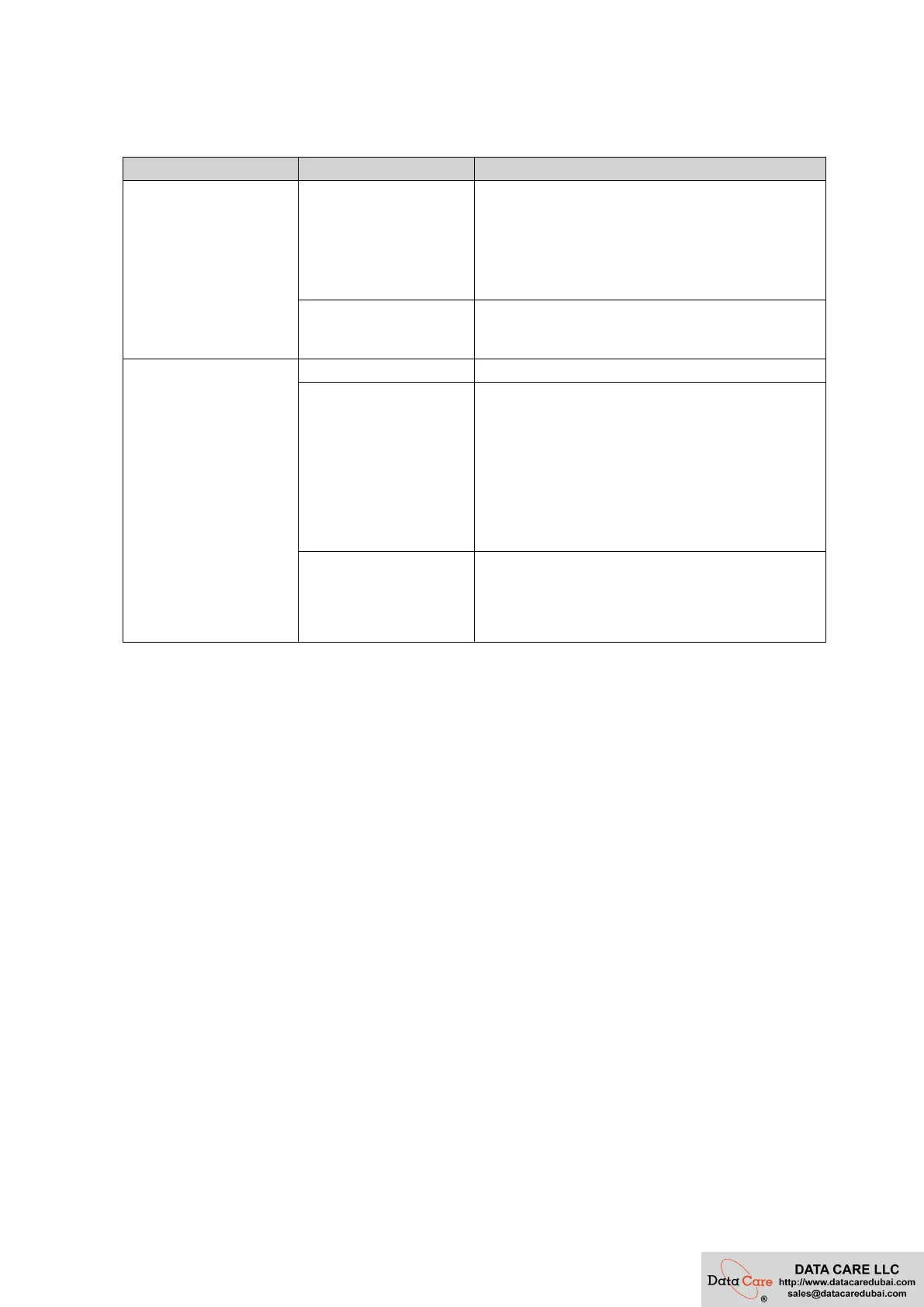
Beep Alarm
Duration Frequency Description
Short beep (0.5 seconds)
1
•
The NAS is starting up.
•
The NAS is shutting down (software shutdown).
•
The user pressed the Reset button.
•
The operating system was updated.
3
The user tried to copy the NAS data to the external
storage device from the front USB port, but the data
cannot be copied.
Long beep (1.5 seconds) 3 (every 5 minutes) The system fan is not functioning.
2
•
The disk volume is about to reach its full
capacity.
•
The disk volume has reached its full capacity.
•
The drives are in degraded mode.
•
The user started the drive rebuilding process.
•
A drive is plugged in or out.
1
•
The NAS was powered off by force shutdown
(hardware shutdown).
•
The NAS was powered on successfully and is
ready.


 To Next Page
 Loading...