Functions: Primary Controls
12. Start
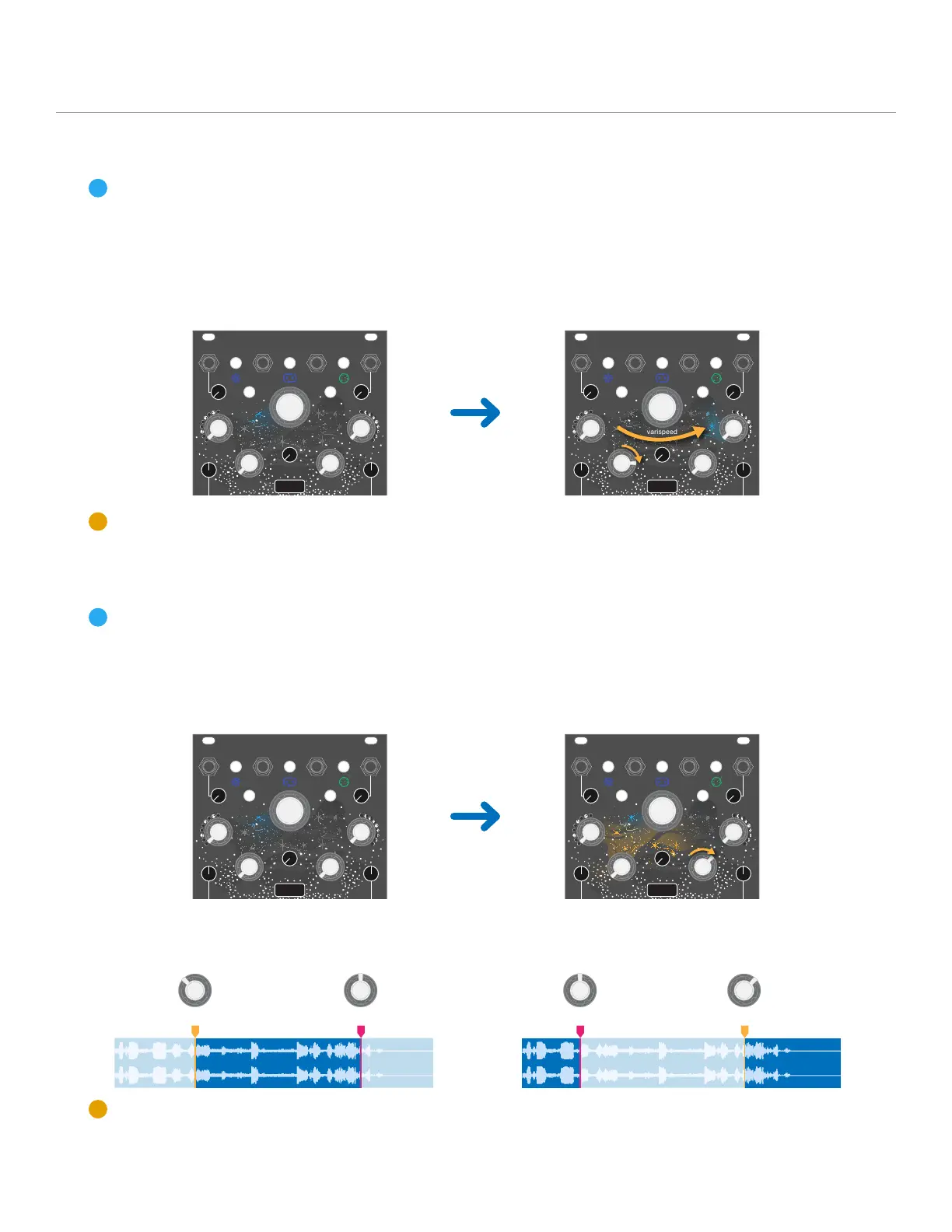
The Start knob and CV input set the loop start point within the recorded buffer.
When the knob is fully to the left, the loop start is at the beginning of the recorded buffer. When
the knob is fully to the right, the start position is at the end of the recorded buffer.
The Start position is indicated by a blue LED animation in the galaxy LED cluster.
Start CV Input range: -5V to +5V
13. Size
The Size knob and CV input set the loop size relative to the loop start point. When the knob is
fully to the left, the loop size is 5ms. The loop size will increase while turning the knob to the right,
reaching the full buffer length when fully to the right.
The loop size is indicated by a gold LED streak across the galaxy LED cluster.
Start, Size, and Buffer Loop Point: If the loop size extends past the recorded buffer end point
due to the loop start position, the loop will continue at the beginning of the recorded buffer.
Size CV Input range: -5V to +5V
12
start size size start
left
right
Stardust
record
in level
reset reverse
inertia
start size
skip slice
flutter hiss
undoerase
freeze clock
varispeed
left
right
Stardust
record
in level
reset reverse
inertia
start size
skip slice
flutter hiss
undoerase
freeze clock
varispeed
left
right
Stardust
record
in level
reset reverse
inertia
start size
skip slice
flutter hiss
undoerase
freeze clock
varispeed
left
right
Stardust
record
in level
reset reverse
inertia
start size
skip slice
flutter hiss
undoerase
freeze clock
varispeed


 To Next Page