Functions: Primary Controls
13
16. Flutter
The Flutter knob and CV input adjust the first effect assigned by the FX Mode button.
The effect is off when the knob is fully to the left, and at its maximum amount when fully to the
right. See the Effect Mode section to find a full list of effects that Flutter can control!
Flutter CV Input range: -5V to +5V
14. Slice
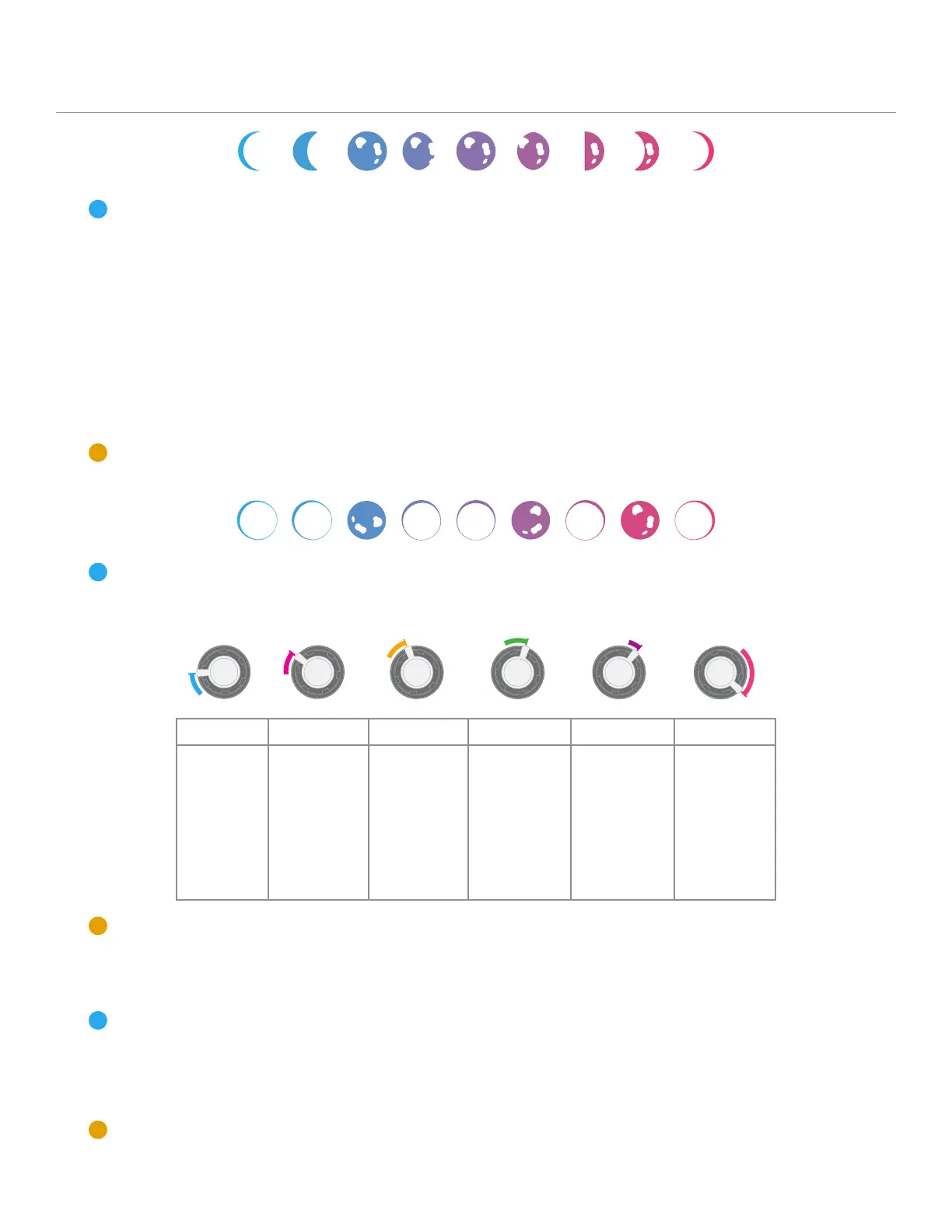
The Slice knob and CV input set the amount of splice points within the loop. The splice points
are evenly distributed across the loop. Slice will also randomly repeat splices.
When the knob is fully to the left, there are no active splice points. As the knob is turned to the
right, the number of splice points will increase by multiples (2, 4, 8, 16, etc.) until it is at its shortest
splice length of 62ms.
When the right glaxy LEDs change to a solid color, Slice will not randomly repeat splices, but
Stardust will still reference the splice amount across the rest of the module. You can read the Skip
and Nova sections to learn more!
Slice CV Input range: -5V to +5V
15. Skip
The Skip knob and CV input adjust the probability that a splice transformation will occur.
This can be a number of transformations, which you can find listed below. Skip will add
transformations previous to the current zone.
Skip CV Input range: -5V to +5V
Zone 1 Zone 2 Zone 3 Zone 4 Zone 5 Zone 6
.
Adjusts
the amount
of start po-
sition offset
of a slice
point.
.
Adjusts the
chance for
a randomly
reversed
slice.
.
Adjusts the
amount of
micro pitch
changes to a
slice point.
.
Introduces
the probabil-
ity of octave
pitch jumps
to a slice
point.
.
Slice points
will jump to
random semi-
tones.
.
Introduces
tape lag to
the random
semitone
jumps.


 To Next Page