Functions: Secondary Functions
17
Shift+Reset: Reset To Default Settings
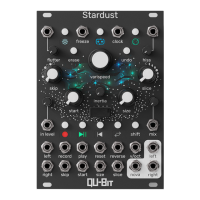
Holding Shift and pressing the Reset button will reset all of Stardust’s modes and effect settings to
their default states.
Shift+Reverse: Clock Mode Toggle
Holding Shift and pressing the Reverse button will toggle Clock Mode on and off. While holding
Shift, the Reverse LED is green when Clock Mode is active, and blue when Clock Mode is inactive
When Clock mode is active, Stardust’s front panel controls will adhere to the external clock rate.
Affected controls include:
• Slice
• Skip
• Record
• Reset
• Freeze
Shift+Varispeed Turn: Octave Jumps
Holding Shift and turning the Varispeed encoder jumps the playback speed up and down by
octaves, relative to the current playback speed.
Shift+Varispeed Click: Varispeed Range
Holding Shift and pressing the Varispeed encoder will cycle through the Varispeed range options.
See the list below for the available options:
Blue: Semitones
Green: Unquantized
Gold: Octaves & Fifths
Purple: Octaves Only
Shift+Effect Mode: Pre/Post Effect Chain
Holding Shift and pressing the Effect Mode button toggles whether or not Stardust’s onboard
effects are applied to the dry signal.
The effects are applied only to the wet signal when the LED is blue. The effects are applied to the
dry signal when the LED is green.


 To Next Page