EasyManua.ls Logo

Qualcast SDS2810 - User Manual

Qualcast SDS2810
18 pages
Print Icon
To Next Page IconTo Next Page
Loading...
Instruction Manual
Important - Please read these instructions fully before starting assembly
These instructions contain important information that will help you get the best from
your mower, ensuring it is assembled correctly and safely.
If you need help or have damaged or missing parts, call the Customer Helpline
on 08456 400 800.
Qualcast
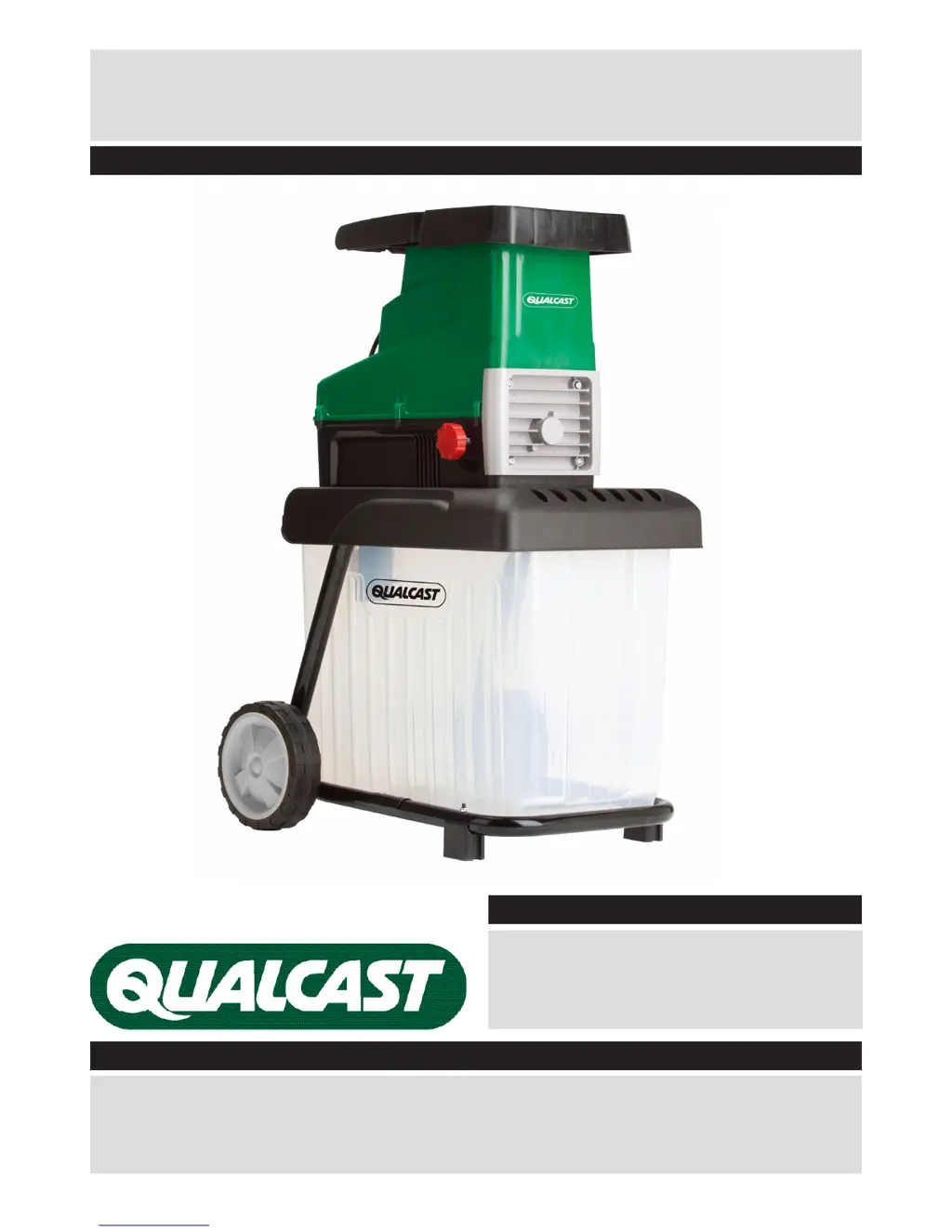
2800W Quiet Shredder (Model: SDS2810)
Aug 2012
UK/Ireland 08456 400 800
Web www.argosspares.co.uk
After Sales Support

Questions and Answers

  • A
    Alfred HuangAug 1, 2025
    Why Qualcast Paper Shredder motor will not start?
    • M
      Michele GrantAug 1, 2025
      If the Qualcast Paper Shredder's motor won't start, first ensure the collection box is correctly fitted. Push it firmly into position and set the safety switch to 'ON'. Also, check for overload protection activation: turn the operating mode selection switch to 'OFF', press the reset switch, and then switch the device back on. Finally, verify the power supply by checking the socket, cable, lead, and plug for any damage. If damage is found, have it repaired by qualified personnel.
  • M
    Morgan GoodmanAug 10, 2025
    What to do if garden waste is not drawn in Qualcast Paper Shredder?
    • K
      karen28Aug 10, 2025
      If garden waste is not being drawn into your Qualcast Paper Shredder, the cylinder might be running in reverse. Try changing the rotational direction using the switch. Also, if the shredding material is too soft, insert wood or dried branches. Finally, if the shredder blade remains jammed, clear the jam.
  • J
    jasonbarnettAug 21, 2025
    How to fix Qualcast Paper Shredder if shredding material comes out in chains?
    • L
      Laura GordonAug 21, 2025
      If the shredding material comes out in chains from your Qualcast Paper Shredder, the pressure plate is likely incorrectly adjusted. Readjust the pressure plate.

Summary

Safety Information

Preparation

Working with the Device

Provides essential instructions for safe operation, including handling materials and avoiding hazards.

Working with the Device (continued)

Continues safe operating practices, covering overloading, repairs, and specific cable usage.

Electrical Safety

Details critical safety measures related to electrical connections and usage to prevent shocks.

Assembly

Step 2 - Assembling the Shredder

Guides through the physical assembly process, attaching wheels, feet, and the main unit.

Operating Instructions & Tips

Switching the Shredder On and Off

Detailed steps for safely powering the shredder on and off using its controls.

Emptying the Collection Box

Procedures for safely removing and emptying the collection box.

Blade Adjustment

Adjusting Cutting Blade and Pressure Plate

Details how to adjust the blade and pressure plate for optimal shredding performance.

Disassembly & Storage

Working Methods

General Working Instructions

Best practices for feeding material, avoiding clogs, and proper shredding techniques.

Maintenance and Cleaning Precautions

Safety measures and guidelines for performing maintenance and cleaning tasks on the shredder.

Troubleshooting

Qualcast SDS2810 Specifications

General IconGeneral
BrandQualcast
ModelSDS2810
CategoryPaper Shredder
LanguageEnglish