Do not leave it until too late to empty the collection box. Remember that the collection box lls unevenly
under the ejector opening.
• Switch the shredder o.
• Unlock the collection box (A2) by pushing the safety switch (A3) down to the OFF position.
• Remove the collection box (A2) from the chassis (A12) and empty it.
• Make sure that the area around the safety switch (A3) is free of dust and wood chippings before you re-
t the collection box (A2).
• Re-t the collection box (A2) and push the safety switch (A3) up to the ON position.
In the event of overload, e.g. due to branches that are too thick, the shredder may switch o automatically.
To switch back on, turn the operating mode selection switch (A9) to the “OFF” position. Press the reset switch
(A7).
After switching o automatically as a result of overload, the equipment may not restart automatically if
material remains trapped in the cutting mechanism.
To switch back on, turn the operating mode selection switch (A9) to the “OFF” position.
Press the reset switch (A7).
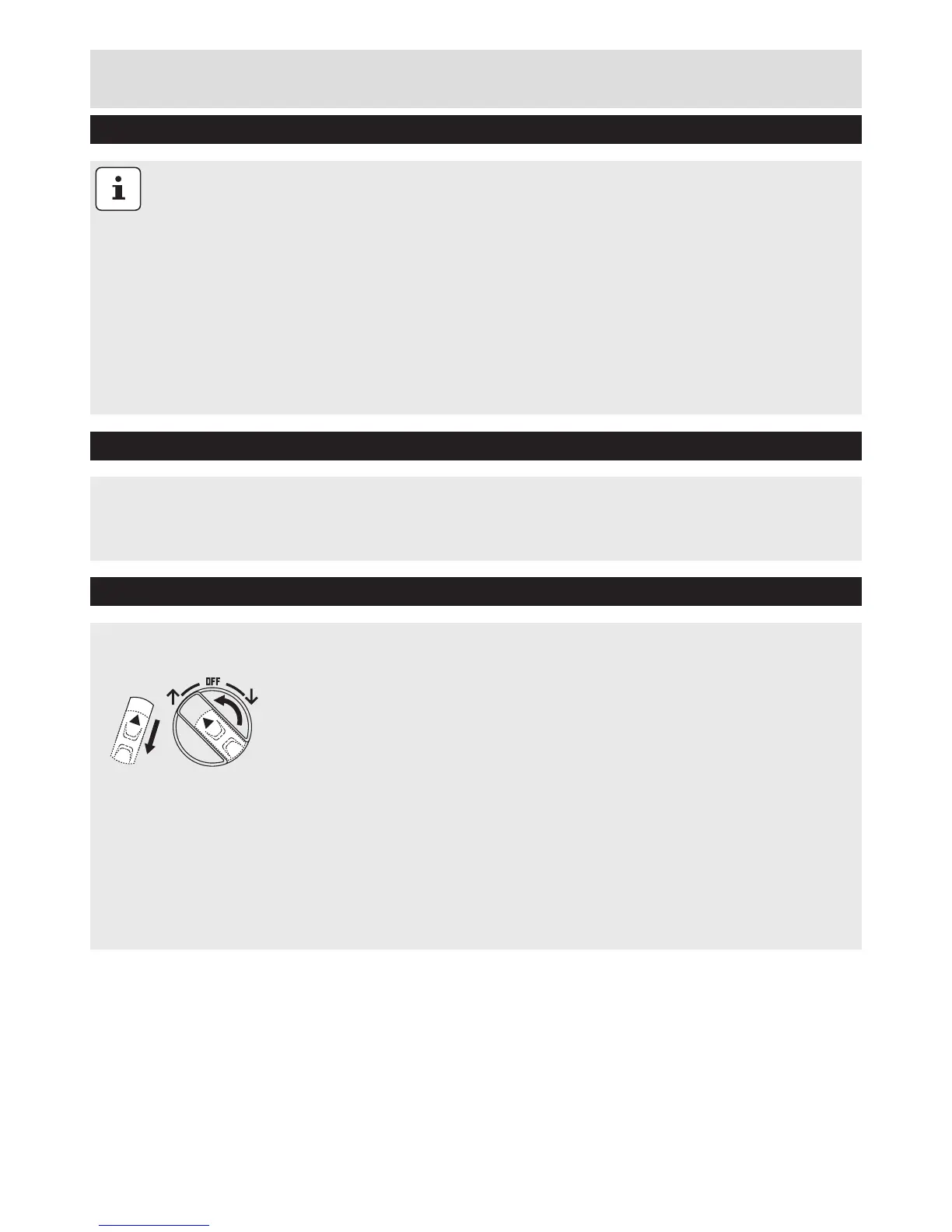
Release the rectangular safety lock (pulling it back towards the handle), then turn the round knob to the left
to cause the cutting mechanism to work in reverse for a few seconds and release any thick branches that
may have caused the blockage. Stop the machine then remove these obstructions carefully from the feed
hopper and discard them if too big.
Switch the device back on as described above.
Use the pusher to help feed material down the funnel as necessary.
Emptying the Collection Box
Overload Protection
Restarting and using the Blade Reversing Mechanism
Operating Instructions & Tips
1
2


 To Next Page