EasyManua.ls Logo

Quanta Computer D52B-1U - Page 30

Default Icon
49 pages
Print Icon
To Next Page IconTo Next Page
To Previous Page IconTo Previous Page
Loading...
ABOUT THE SYSTEM HDD / M.2 ADAPTER CONFIGURATION
1-17
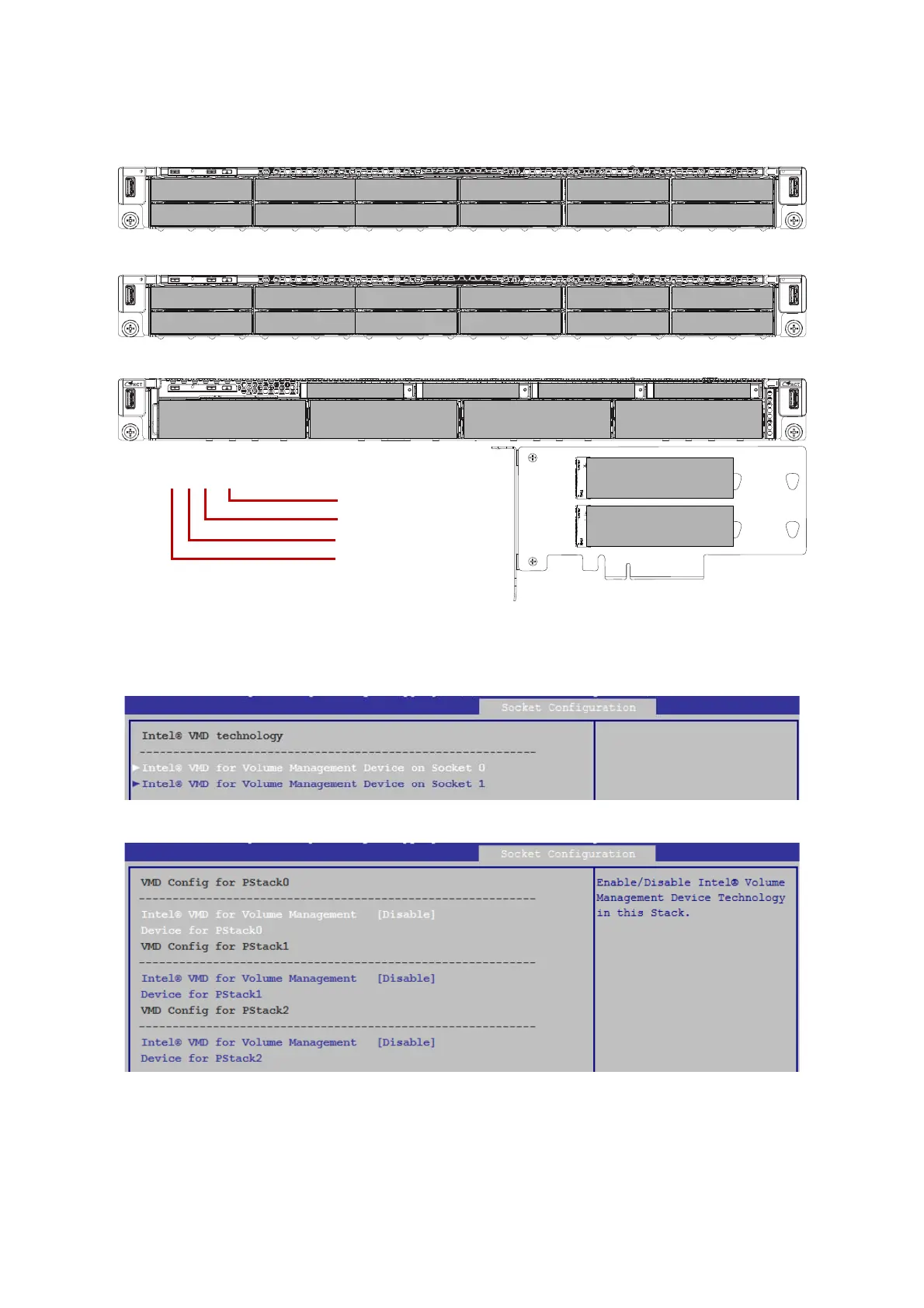
Enable your VMD PCIe Root Port based on the following configuration table:
Press up or down arrow key to select CPU socket0 or CPU socket1.
Then you can enable/disable the Intel® VMD feature for your system.
NVME M.2 ADAPTER
0-0-0-1A
1-0-0-1B
2-0-2-3A
3-0-2-3B
4-0-2-3C
5-0-2-3D
6-1-0-1A
7-1-0-1B
8-1-0-1C
9-1-0-1D
10-1-2-3A
11-1-2-3B
0-0-0-1A
1-0-0-1B
2-0-2-3A
3-0-2-3B
4-0-2-3C
5-0-2-3D
6-1-0-1A
7-1-0-1B
8-1-0-1C
9-1-0-1D
10-1-2-3A
11-1-2-3B
N/A
N/A
N/A
N/A
N/A
N/A
N/A
N/A
8-0-0-1A
9-0-0-1B
10-1-2-3A
11-1-2-3B
N/A N/A N/A N/A
4-0-0-1A 5-0-0-1B 6-1-2-3A 7-1-2-3B
ALL FLASH SKU
T
IERED SKU
0-0-0-1A
HDD/M.2 Slot #
CPU Socket #
PStack #
VMD Port #
2-0-0-1D
1-0-0-1C

Related product manuals