ABOUT THE SYSTEM HDD / M.2 ADAPTER CONFIGURATION
1-16
Enabling the Intel® VMD technology
You can use Intel® VROC HII to create the RAID volume. These volume can be created at any point before or
after your system is successfully running your Windows installation, but may not be used as the boot vol-
ume.
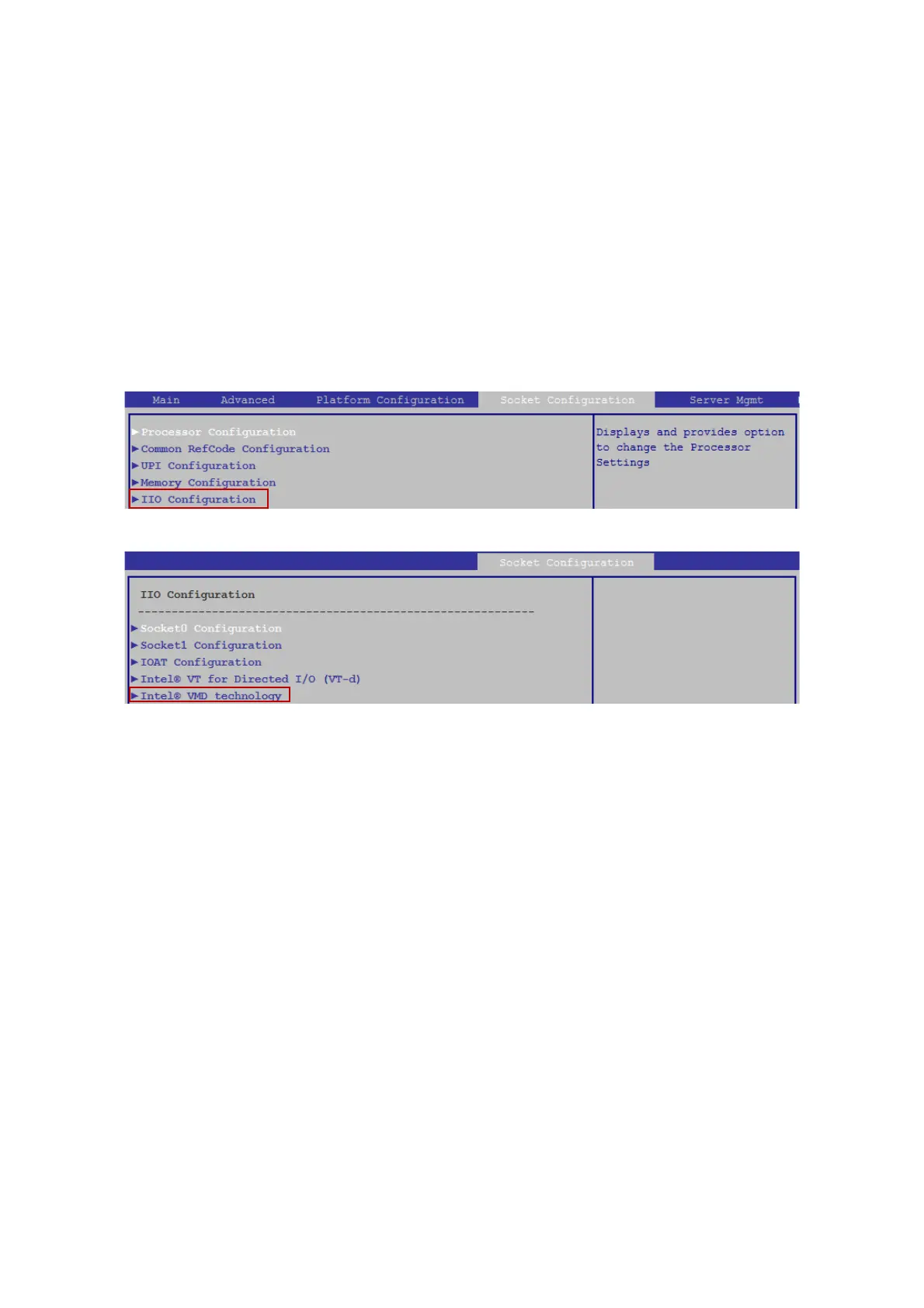
To enable the Intel VMD technology feature, you might need to select “Intel® VMD tech-
nology” in “IIO configuration” under the “Socket Configuration” screen from BIOS Main
screen by pressing the right arrow until the Socket Configuration screen is chosen.
Press the right arrow key until “Socket Configuration” is selected and press the down
arrow key until “IIO Configuration” is selected.
Press the down arrow key until “Intel® VMD technology” is selected.



 To Next Page