V2.1 / 06.06.2019 FUM5-00AM-DES-G5521 27
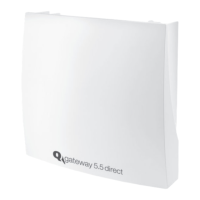
Operating and Installation Instructions Q gateway 5.5 direct - EN
Correct disposal of this product
Products delivered in Germany and directly from Germany
All appliances must be brought to a controlled recycling plant. Due to governing regulations, electrical and electronic appliances
IURP481',6PXVWQRWEHGLVSRVHGRIYLDSXEOLFFROOHFWLRQSRLQWVIRUHOHFWULFDODSSOLDQFHV
$OOXVHGHOHFWURQLFDSSOLDQFHVIURP481',6PXVWEHVHQWWRXVIRUGLVSRVDO7KHVWDPSHGGHOLYHU\LVWREHVHQWWRWKHIROORZLQJ
DGGUHVV481',6*PE+6RQQHQWRU(UIXUW*HUPDQ\
481',6HQVXUHVFRUUHFWGLVDVVHPEO\DQGUHF\FOLQJRIWKHDSSOLDQFHV&RVWVIRUZDVWHGLVSRVDODUHERUQHE\481',6$OWHUQD-
WLYHO\GLVSRVDOE\FXVWRPHUVLVSRVVLEOHZLWKUHJDUGWRWKHVSHFL¿HGZDVWHFRGHQXPEHUYLDSULYDWHZDVWHGLVSRVDOFRQWUDFWRUV
at their own expense.
In countries of the European Community excepting Germany
,QIRUPDWLRQFRQFHUQLQJFRUUHFWZDVWHGLVSRVDOLVDYDLODEOHIURP\RXUGHDOHURUIURPWKHUHVSRQVLEOHVDOHVDQGGLVWULEXWLRQ
channels.
Battery change
Organization
Access the device location:
HJNH\VFRQGXFWRUVHWF
Tools / Material:
1 slotted screwdriver
1 battery replacement set
On-site preparation:
- %UHDNWKHVHDO
- Open housing
ATTENTION!
Battery replacement may only be carried out by trained and skilled personnel. Only a battery approved for the
Q gateway 5.5 direct may be used, otherwise there is a risk of explosion!
ATTENTION!
After opening the battery compartment, the battery
7
LVQRORQJHU¿[HGDQGPD\IDOORXW
- :KHQRSHQLQJWKHEDWWHU\FRPSDUWPHQWKROGWKHEDWWHU\¿UPO\
ATTENTION!
PCB may be damaged
- &DUU\RXWWKHIROORZLQJVWHSVYHU\FDUHIXOO\
1. Battery change (standard)
• 'LVFRQQHFWWKHEDWWHU\FRQQHFWRUIURPWKHROGEDWWHU\
• Open the battery compartment
7
.
• Remove the old battery.
• ,QVHUWWKHQHZEDWWHU\LQWRWKHEDWWHU\FRPSDUWPHQWDQGOHDGWKHEDWWHU\FDEOHRXWRIWKHVLGHRIWKHEDWWHU\FRPSDUWPHQW
• Close the battery compartment.
• ,QVHUWWKHEDWWHU\FRQQHFWRURIWKHQHZEDWWHU\
Battery change for devices with external antenna
• Disconnect the battery connector
6
IURPWKHROGEDWWHU\
• Remove the entire battery compartment
7
IURPWKHKRXVLQJ
- %HQGWKHFODPSKROGHUWRWKHOHIWRIWKHEDWWHU\FRPSDUWPHQWWRWKHVLGHXVLQJWKHVORWWHGVFUHZGULYHUDQGUHPRYHWKHEDWWHU\FRPSDUWPHQW
• Open the battery compartment and remove the old battery.
• ,QVHUWWKHQHZEDWWHU\LQWRWKHEDWWHU\FRPSDUWPHQWDQGOHDGWKHEDWWHU\FDEOHRXWRIWKHVLGHRIWKHEDWWHU\FRPSDUWPHQW
• Close the battery compartment.
• 5HSODFHWKHEDWWHU\FRPSDUWPHQW7KHEDWWHU\FRPSDUWPHQWPXVWFOLFNLQWRSODFHDXGLEO\
2. Testing the connection to the Q SMP
• )XQFWLRQNH\
1
long press
The display
4
VKRZVWKHPHVVDJHSYNC
3. Completing the battery change
• Close housing
• ,QVWDOODQHZVHDOIURPWKHEDWWHU\UHSODFHPHQWVHW

 To Next Page
 Loading...